Comparison
Busabase vs Notion for AI Agents
Notion is the best place for people to write together, and its agents now work inside it. Busabase is built for the moment an agent writes: every edit to a record, Doc, or Skill arrives as a Change Request you can read, review, and undo, on every plan. Around it you get typed Bases agents write into, grep across everything, shared Skills, apps and websites on the same data, and an MIT-licensed product you can run yourself.
Many teams use both. This page compares them by the jobs people bring to them, and says plainly where Notion is the better product.
Last verified 13 November 2026 against Notion's pricing page, release notes (through 19 October 2026), help center and API reference, and Busabase's current product.
The short verdict
Choose Busabase when
Choose Notion when
Use both when
The core difference: every change is a Change Request
Think of it as a pull request for your data. In Busabase, every edit — a record, a Doc, a Skill file, a schema change — is a Change Request: a branch with a chain of immutable commits. Merging moves the record forward; nothing is overwritten.
Notion protects your work in ways that are real and useful. You can restore a page to a previous version — for 7 days on Free, 30 on Plus, 90 on Business, and without limit on Enterprise (page history). Since August 2026 you can ask Notion Agent to suggest edits and approve each one. On Enterprise, the audit log records agent edits as page events attributed to the agent, though Notion notes that “recording what an agent did during a specific run is not included.” Each of these works after the change, when you ask for it, or on a higher plan.
In Busabase the Change Request is not a log next to the write. It is the write.
- A message and a diff on every write. Each change says what it does and shows the field-level before and after — for records, Docs, and Skills alike.
- Know which agent did it. The author, and the key or tool the change came through, stay on the commit.
- Undo is built in, on every plan. Every record, Doc, and Skill keeps its full history, and any change can be rolled back — no window that closes after 7, 30, or 90 days.
- Review when you choose, enforced by the key. Writes with write access land immediately. Give an agent a proposal-only key and every change it makes — through MCP, the CLI, or the API — waits in the Inbox for a person to approve or send back.
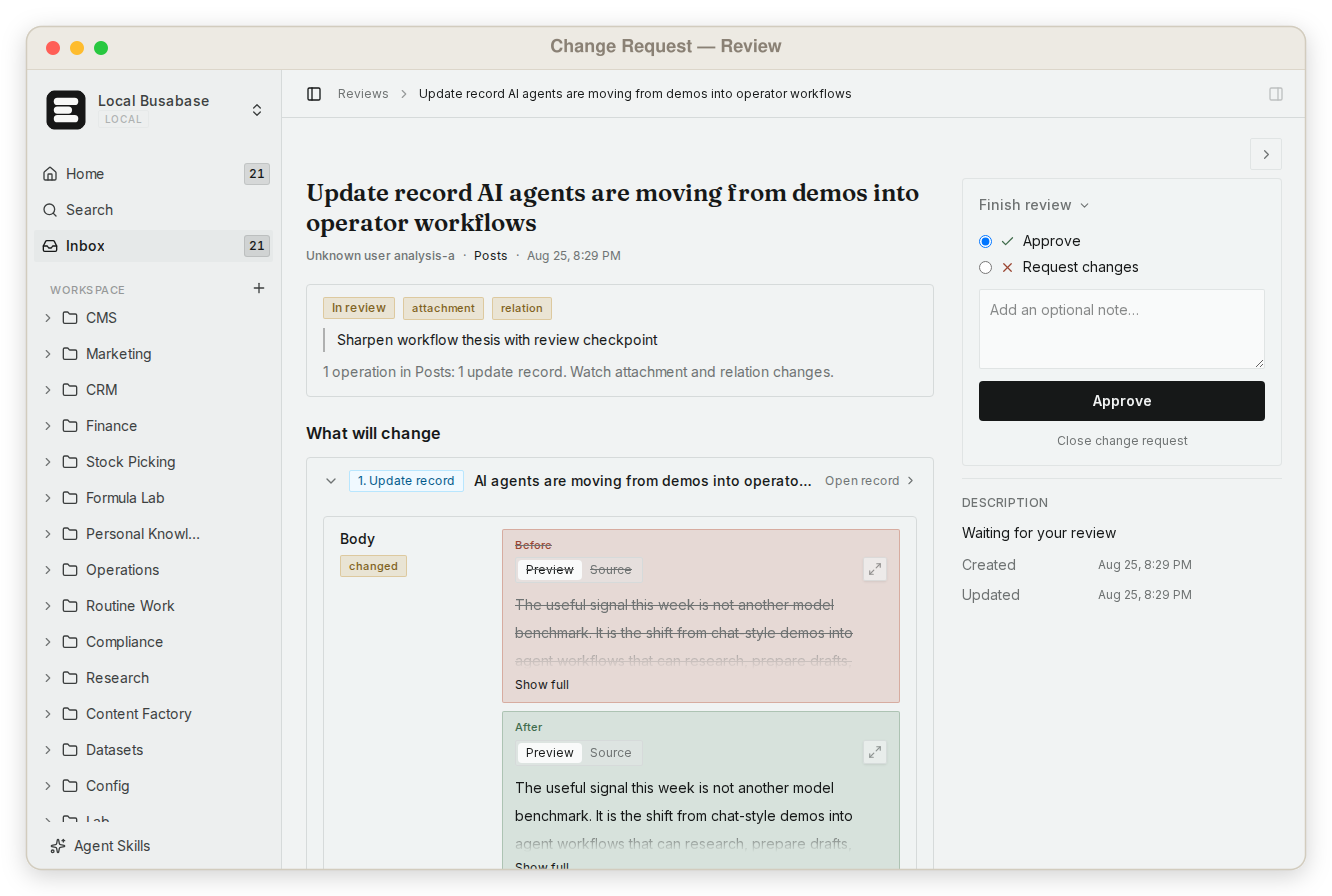
This is what makes it safe to let agents write to the data your team actually uses — not by keeping them out, but by making every change visible and reversible.
What else Busabase gives your agents and your team
Notion grew from documents for people. Busabase grew from data that agents write. That shows up in what comes with the workspace.
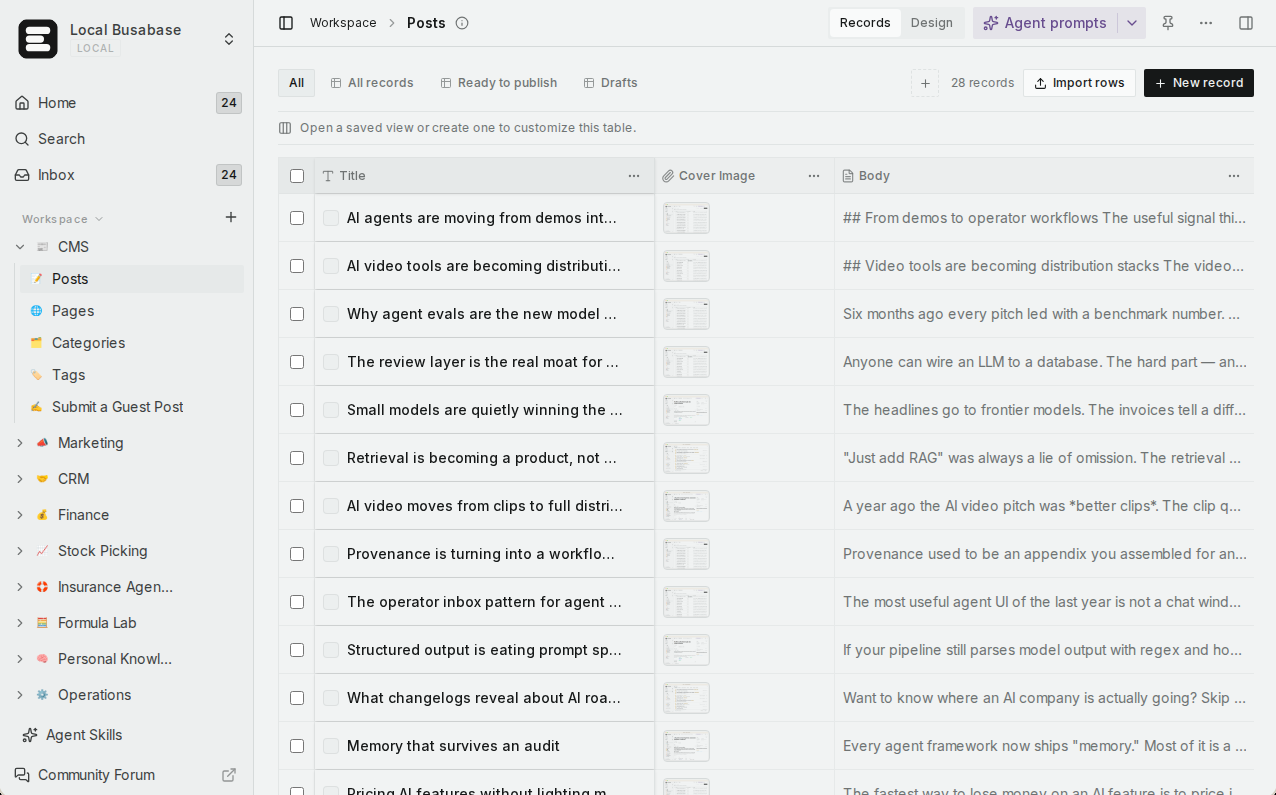
Typed Bases built for agent writes
Views your team already knows
Grep across everything
Skills every agent reads live
Apps with four engines
Websites on your domain
Agent keys with levels
Agents connect in minutes
Open source, runs anywhere
Comparison by the job you are trying to do
Rows are the jobs teams bring to these two products when agents are involved. Where Notion is the right tool, the table says so.
| What you are trying to do | Busabase | Notion |
|---|---|---|
| See every change before and after, who made it, and roll it back | Built in, every plan — a Change Request per edit with a field-level diff, author and agent key, full history, and undo | Page history restores a page to a previous version: 7 days on Free, 30 on Plus, 90 on Business, unlimited on Enterprise |
| Make an agent propose changes instead of applying them | Yes — a proposal-only key; everything that agent writes, through any route, waits in the Inbox | Partly — ask Notion Agent to suggest edits and approve each one (Aug 2026); confirmations before actions in connected tools (beta, Business and Enterprise) |
| Trace a change to the agent, the key, and the tool | Yes — on every commit, on every plan | Enterprise audit log records agent edits as page events attributed to the agent; per-run detail is not included |
| Give agents typed tables to write into at volume | Yes — typed Bases written through the API, MCP, or CLI, each write a Change Request | Databases through the API and MCP; the API allows 180 requests a minute per connection (600 on Business and Enterprise) |
| Cap each agent at the access its job needs | Yes — read, changeRequest, write, or manage keys, plus per-node permissions | API connections pick read, update, and insert capabilities; Custom Agents act only on pages you grant |
| Find exact text across everything | Yes — one regex grep across files, Doc bodies, records, and agent prompts | Workspace search, plus AI Connectors search on Business and Enterprise with Notion AI; regex grep is not documented |
| Give every agent the same team Skills | Yes — agents read the live version over MCP or CLI; editing a Skill is a Change Request | Yes — a skills library (3.7), downloaded as SKILL.md for Claude Code, Codex, or Cursor, with a badge when it changes; skills over MCP “coming soon” |
| Turn the data into an app | Yes — AirApps in the browser, on your machine, in a cloud sandbox, or as a website | Workers (public beta, Business and Enterprise) run custom code for automations, database syncs, and agent tools |
| Publish a website on the same data, on your domain | Yes — Website engine on Cloudflare Workers with backend endpoints; custom domains on Plus and above | Yes — Notion Sites publish pages; a custom domain is a paid add-on, $10 a month ($8 billed yearly) |
| Connect Claude Code, Codex, Cursor, and other agents | Yes — MCP, CLI, OpenAPI REST, webhooks, Python SDK, plugins | Yes — Notion MCP, and Claude and Cursor as External Agents (3.6) |
| Self-host, read the source, work offline | Yes — MIT; a laptop, your own servers, or an air-gapped network | Hosted on AWS; Enterprise can choose a data region; pages can be downloaded for offline use in the apps |
| Predictable pricing as agents do more | Flat per seat — no metered overage | Per member, plus Notion credits for Custom Agents: $10 per 1,000 monthly credits |
| Write polished docs and a wiki the whole company reads | Docs, with a simpler editor — good for operating docs, not a wiki replacement | Yes — Notion's home ground: a mature editor and 30,000+ templates |
Coming next
Three features are being built now. They are not available yet; we list them so you can plan, and this page will be updated when they ship.
App users In development
Ontology In development
Fine-grained permissions In development
What Notion's agents can do today
Notion has moved fast this year, and a fair comparison starts from what it ships now, not from last year's impression:
- External Agents (3.6, 1 July 2026). “Claude and Cursor are the first two External Agents in Notion.” You assign them tasks from a shared board and @-mention them like teammates.
- Custom Agents (Business and Enterprise). Background agents that run on schedules or triggers — a page added to a database, a property updated, a Slack message — and act only on the pages you grant.
- Suggested edits (28 August 2026). “Your agents can now propose changes instead of making them directly,” and you approve each one, top to bottom.
- Skills (3.7, 15 September 2026). A shared skills library, downloadable as SKILL.md for Claude Code, Codex, Cursor, Gemini, or Grok. Custom MCP connections come with confirmations: “nothing changes in a connected tool until you approve it.”
- MCP and admin controls (3.8 and 19 October). 150+ MCP connections, admins can allow only verified tools, and Notion Agent gained a “Review for me” mode with safety checks, which Notion has not yet described in detail.
- Developer Platform (help center). A CLI and Workers for custom code are in public beta; the External Agents API is in private beta.
So the question is no longer whether agents can work in Notion — they can. It is what you have after a few hundred agent writes. In Notion: page versions within your plan's window and, on Enterprise, an audit log. In Busabase: a Change Request for each one, with a diff, the key it came through, and an undo.
Using them together
A common split for a team that writes in Notion and runs agents:
- People write specs, meeting notes, and the company wiki in Notion.
- A sales agent researches accounts and writes them into a CRM Base in Busabase; the team works the pipeline on a kanban board, and every change the agent made is a Change Request.
- Team Skills live in Busabase, so Claude Code, Codex, and Cursor all read the same version.
- Finished records become an AirApp or a website on your own domain — and a Notion page can simply link to it.
Neither product replaces the other. Notion keeps your team's writing in one polished place; Busabase keeps your agents' work visible, structured, and reversible.
Pricing at a glance
Busabase
Plus: $10 per seat per month (billed yearly). Pro: $20. Enterprise: custom.
Change Requests and history on every plan. Flat per seat, no metered overage. Self-hosting is free under MIT with no seat limit.
Notion
Page history: 7, 30, and 90 days on Free, Plus, and Business; unlimited on Enterprise.
Custom Agents: free to try, then $10 per 1,000 monthly Notion credits.
Prices as published on 13 November 2026. See Busabase pricing and Notion pricing for current details.
Where Notion is the better choice
- The document is the deliverable. Specs, proposals, wikis, meeting notes. Notion's editor is more mature than ours, and its gallery lists 30,000+ templates.
- Your company already runs on Notion. Adoption is the hardest part of any tool, and Notion Agent and Custom Agents work where people already are.
- Agents mainly help people write. When a person is doing the work, suggested edits and page history are enough, and one vendor covers docs, wiki, projects, and agents.
Busabase's limits, plainly: the Doc editor is simpler than Notion's, the template library is far smaller, and the product is younger. It has no realtime subscriptions and no vector index. Sign-in for the end users of the apps you publish is in development (App users) but not available today.
Frequently asked questions
Can Notion hold an agent's changes for review before they apply?
How is a Change Request different from Notion's page history?
Notion has skills too. What is different?
Does every agent write need a human review in Busabase?
Can I keep using Notion and add Busabase?
Can I self-host Busabase?
Next step
Connect an agent you already use and ask it to put one real piece of work into a Base — a research list, a content calendar, a customer table. Then open the Inbox and read the Change Request it made.
Related reading: Busabase vs Supabase · Busabase as a Notion + Supabase hybrid · How platforms handle agent writes · A system of record for AI agents · How Change Requests work · Search and grep · Publish an AirApp as a website
Sources: Notion pricing, Notion page history, Notion audit log, Notion: Ask your agent to suggest edits, Notion 3.6, Notion 3.7, Notion 3.8, Notion: Agents, rebuilt, Notion Custom Agents, Notion MCP, Notion Developer Platform, Notion API request limits, Notion API capabilities, Notion Sites pricing, Notion offline pages, Notion data residency, Notion templates, Busabase pricing