Comparison
Busabase vs Mem0 for AI Agents
Mem0 gives an agent memory: it reads conversations, extracts facts and preferences on its own, and recalls them later. Busabase is where agents and people keep the team's structured records, Docs, Skills, and apps — and every change an agent makes arrives as a Change Request a person can read, review, and roll back.
They answer different questions. Mem0 answers “what should this agent remember about this user?” Busabase answers “what does the team know, who changed it, and can we trust it?” Many teams will want both, and this page shows where each one fits.
Last verified 13 November 2026 against Mem0's pricing page, platform and API documentation, MCP documentation, and GitHub repository, and Busabase's current product.
The short verdict
Choose Busabase when
Choose Mem0 when
Use both when
The core difference: every change is a Change Request
Think of it as a pull request for your data. In Busabase, every edit — a record, a Doc, a Skill file, a schema change — is a Change Request: a branch with a chain of immutable commits. Merging moves the record forward; nothing is overwritten.
Mem0 works the other way, by design. When an app sends a conversation, an extraction model decides what to store; its API reference says the call will “Extract and store memories from a conversation,” and that “Processing is asynchronous.” Through its MCP server, an agent can add memories, “Overwrite a memory's text and/or metadata,” and “Bulk delete all memories in scope.” A history endpoint lets you read a memory's old and new text afterwards. What the documentation does not describe is a step where a person sees the change, and approves it, before it takes effect.
For memory, that is the point: it should update itself. For a price you quoted a customer, a contract term, or a policy your agents follow, you want the opposite.
- A message and a diff on every write. Each change says what it does and shows the field-level before and after.
- Know which agent did it. The author, and the key or tool the change came through, stay on the commit.
- Undo is built in. Every record, Doc, and Skill keeps its full history, and any change can be rolled back.
- Review when you choose. Writes with write access land immediately. Give an agent a proposal-only key and its changes wait in the Inbox for a person to approve or send back.
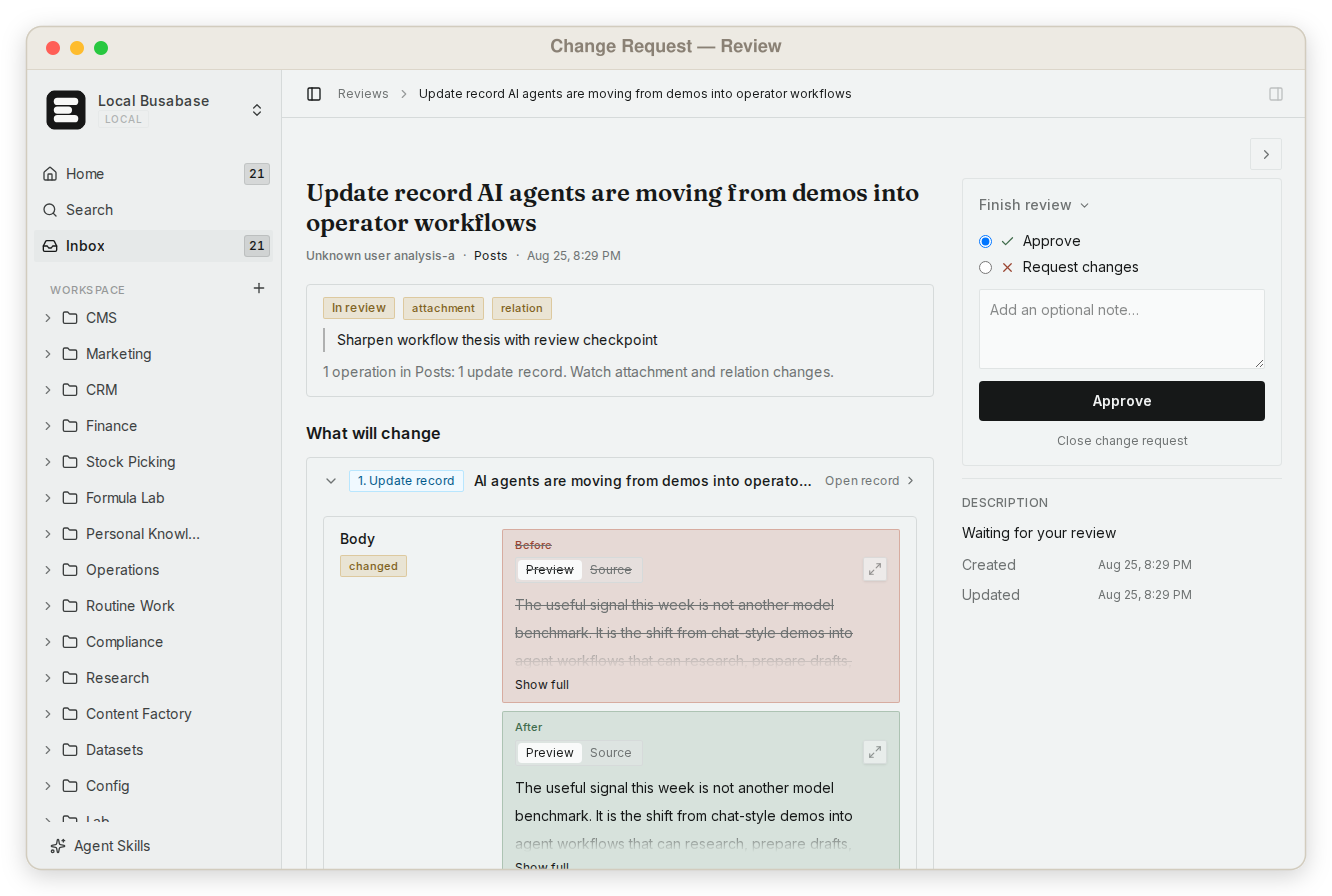
This is what makes it safe to let agents write to the data your team actually uses — not by keeping them out, but by making every change visible and reversible.
What else Busabase gives your agents and your team
A memory layer gives one agent better recall. These come with a Busabase workspace, for every agent and every person on the team.
Visual data tables
A team knowledge base
Grep across everything
Skills you upload
Apps with four engines
Websites on your domain
Built for teams
Agents connect in minutes
Runs where your data has to
Comparison by the job you are trying to do
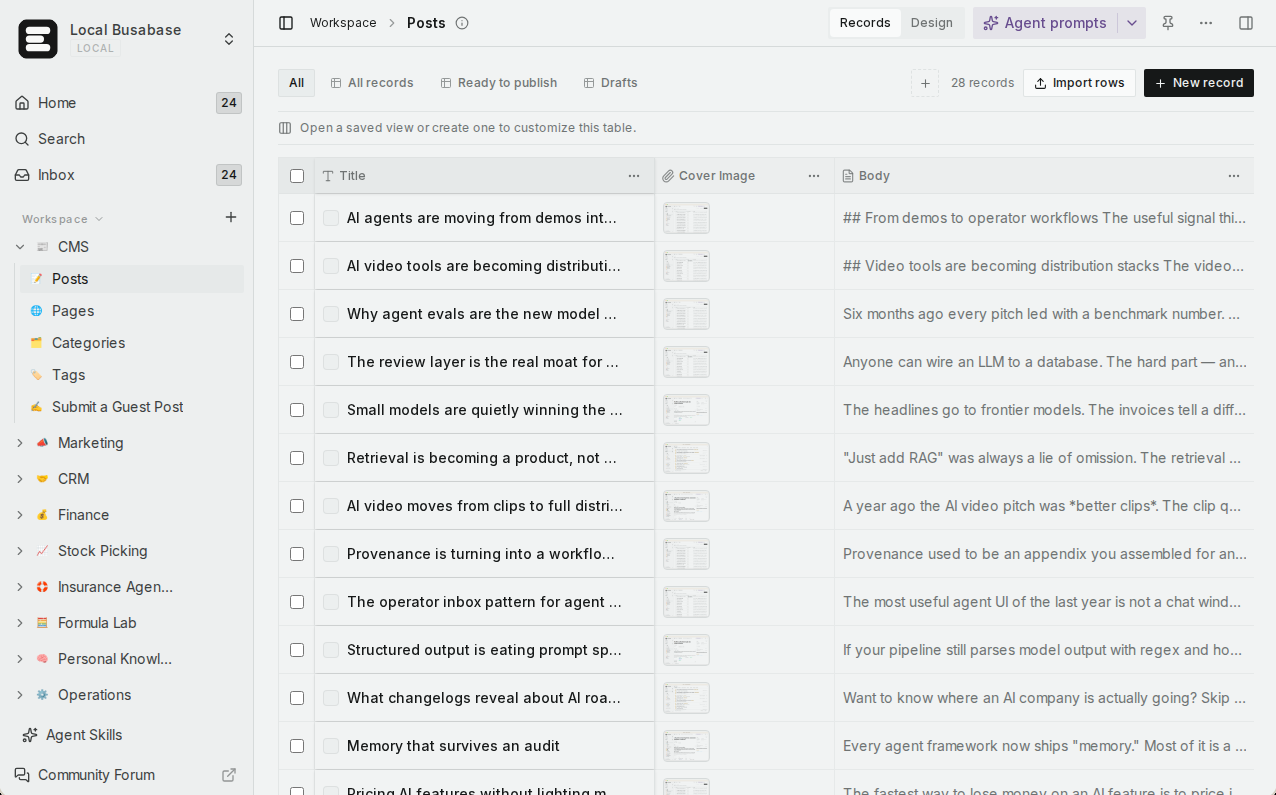
Rows are the jobs teams bring to these two products, not feature checkboxes. Where Mem0 is the right tool, the table says so.
| What you are trying to do | Busabase | Mem0 |
|---|---|---|
| See every change before and after, who made it, and why | Built in — a Change Request with a message, field-level diff, author, and the key it came through; full history and rollback | Partly — a history endpoint returns a memory's old and new text and the event type; no change message, and no documented one-step restore |
| Let an agent propose a change that waits for a person | Yes — a proposal-only key; its changes wait in the Inbox | Not documented — MCP tools add, update, and delete memories directly |
| Correct a fact so everyone relies on the same value | Yes — edit the record; the correction is a Change Request and the old value stays in history | Update or delete the memory through the API; superseded memories are tracked, but there is no shared record for people to check |
| Keep structured records — customers, deals, commitments | Yes — Bases with typed fields, linked records, and forms | Memories are short text facts with metadata, organised by user, agent, app, and run |
| Let teammates read and edit what agents wrote | Yes — table, gallery, kanban, calendar, and Gantt views, no code | A developer dashboard; memories are built for the app to read |
| Keep policies and docs agents must follow | Yes — Docs, files, and Bases in one tree with shared permissions | Not a product feature |
| Find exact text across everything | Yes — one regex grep across files, Doc bodies, records, and agent prompts | Semantic search over memories, with filters |
| Give every agent the same team Skills | Yes — upload your Skills once; every connected agent reads the same version | Mem0's Agent Skills teach coding assistants how to build with Mem0; not a place for your own |
| Turn the data into an app or a website | Yes — AirApps in the browser, on your machine, in a cloud sandbox, or as a website on your domain | Not its job — memory is an API your app calls |
| Connect Claude Code, Codex, Cursor, and other agents | Yes — MCP, CLI, OpenAPI, webhooks, and agent plugins | Yes — a hosted MCP server with 11 tools, plus integrations for frameworks such as LangChain, CrewAI, and the OpenAI Agents SDK |
| Predictable pricing as the team grows | Flat per seat — no metered overage | Free with monthly add and retrieval limits, then usage-based billing or a Custom plan |
| Self-host | Yes — MIT, from a laptop to an air-gapped network | Yes — Apache-2.0; graph memory, webhooks, and memory export are platform-only |
| Remember each end user automatically across sessions | Not its job — use Mem0 | Yes — automatic extraction and recall per user, agent, app, and run. This is Mem0's home ground |
Coming next
Three features are being built now. They are not available yet; we list them so you can plan, and this page will be updated when they ship.
App users In development
Ontology In development
Fine-grained permissions In development
Extracted memory, or a record your team relies on
Our essay Agent memory vs knowledge base vs system of record separates these stores with one question: when this turns out to be wrong, who finds out, and who is accountable?
Automatically extracted memory is built for recall. A model reads the conversation and decides which facts to keep, and the agent gets them back when they look relevant. That is exactly right for “this user prefers email” or “this codebase uses pnpm” — being approximately right, fast, beats asking every time. When a remembered fact is wrong, though, it tends to stay quiet: it keeps being recalled until someone happens to notice.
A record a team relies on works differently. A customer's contract terms, the discount you promised, the policy your support agent follows — someone has to be able to open it, see who wrote it and when, correct it in one place, and know every agent now reads the corrected version. That is what Busabase is for: records, Docs, and Skills that people and agents share, with a Change Request behind every edit.
Mem0 is honest about its job, and does it well; its homepage says “Every read and write logged.” Logging what happened is valuable. A Change Request goes one step further: it carries the reason, can wait for a person before it applies, and can be rolled back.
Using them together
A common split for a team whose agents talk to customers:
- Mem0 remembers each customer's preferences and context from past conversations, so the support agent does not ask twice.
- The same agent reads the refund policy and its Skills from Busabase, so every agent follows the version the team agreed on.
- When the conversation produces something the business will rely on — a commitment, a changed plan, a new contact — the agent writes it to a Base in Busabase as a Change Request.
- The team works those records in a kanban view; when one is wrong, a person corrects it once, with history, and every agent reads the corrected value.
The rule of thumb: if a fact is only there to help the agent remember, keep it in memory. If someone will act on it, make it a record.
Pricing at a glance
Busabase
Plus: from $10 per seat per month (billed yearly). Pro: from $20.
Flat per seat, no metered overage. Self-hosting is free under MIT with no seat limit.
Mem0
Custom: limits set to your volume, plus graph memory, user profiles, Dream, SSO, audit logs, SLA, and on-prem deployment.
With your own key, model calls are paid to your LLM provider; Mem0 estimates about $3.55 to $5.34 per 1,000 adds on its recommended models.
Prices as published on 13 November 2026. Mem0’s Starter, Growth, and Pro plans are “no longer sold to new accounts.” See Busabase pricing, Mem0 pricing, and the Mem0 pricing FAQ for current details.
Where Mem0 is the better choice
- You are building an AI app that should remember each user. Mem0 extracts memories from conversations on its own and scopes them by user, agent, app, and run — and its Free plan has unlimited end users.
- You want memory inside the framework you already use. Mem0 lists integrations for LangChain, LangGraph, CrewAI, LlamaIndex, the Vercel AI SDK, the OpenAI Agents SDK, Google ADK, AWS Bedrock, and more.
- Recall quality is the product. Semantic retrieval, a native graph over extracted entities on the platform, and published benchmark results on LoCoMo, LongMemEval, and BEAM (company-reported).
Busabase's limits, plainly: it does not extract memories from conversations on its own, has no vector index or semantic recall over chat history, and no realtime subscriptions. Sign-in for the end users of the apps you publish is in development (App users) but not available today. If you need automatic per-user memory, run Mem0 alongside it.
Frequently asked questions
Is Busabase a memory layer like Mem0?
Mem0 keeps a history of each memory. How is a Change Request different?
Can I use Mem0 and Busabase together?
What happens when an agent remembers something wrong?
Does every agent write in Busabase need a human review?
Can I self-host both?
Next step
Connect an agent you already use and ask it to put one thing your team relies on into a Base — your customer list, open commitments, or the policy it should follow. Then change one value and look at the Change Request it leaves behind.
Related reading: Agent memory vs knowledge base vs system of record · A system of record for AI agents · Busabase vs Supabase · All comparisons · How Change Requests work · Search and grep
Sources: Mem0 homepage, Mem0 pricing, Mem0 pricing FAQ, Mem0 Platform overview, Mem0 API: add memories, Mem0 API: memory history, Mem0 MCP documentation, Mem0 Platform vs open source, Mem0 integrations, mem0ai/mem0 on GitHub, Busabase pricing