Comparison
Busabase vs Airtable for AI Agents
Airtable is where a lot of teams already run their work in tables. Busabase is built for the moment agents start writing into that work: every change an agent makes arrives as a Change Request you can read, review, and undo; each agent gets its own key at the level its job needs; and the Skills, Docs, and apps your agents use sit right beside the data.
Both give you tables that people can read, and both now connect to AI agents. This page compares them by the jobs teams bring to them once agents are part of the team.
Last verified 13 November 2026 against Airtable's pricing page, support articles, MCP page, Fall 2026 release and newsroom, and Busabase's current product.
The short verdict
Choose Busabase when
Choose Airtable when
Use both when
The core difference: every change is a Change Request
Think of it as a pull request for your data. In Busabase, every edit — a record, a Doc, a Skill file, a schema change — is a Change Request: a branch with a chain of immutable commits. Merging moves the record forward; nothing is overwritten.
Airtable records changes after the fact. Its record revision history shows “which user made which changes, and when,” kept for 2 weeks on Free up to 3 years on Enterprise Scale. It is “view-only” and cannot be exported. Undo covers your own edits, but Airtable notes: “You can't undo an edit made by another collaborator, by an automation, by a sync, or through the API” — and the API is the path an agent's edits take. Restoring a snapshot creates a new base, which starts without revision history.
- A message and a diff on every write. Each change says what it does and shows the field-level before and after.
- Know which agent did it. The author, and the key or tool the change came through, stay on the commit.
- Undo anyone's change. Every record, Doc, and Skill keeps its full history, and any change can be rolled back — including one an agent made through the API.
- Review when you choose. Writes with write access land immediately. Give an agent a proposal-only key and its changes wait in the Inbox for a person to approve or send back.
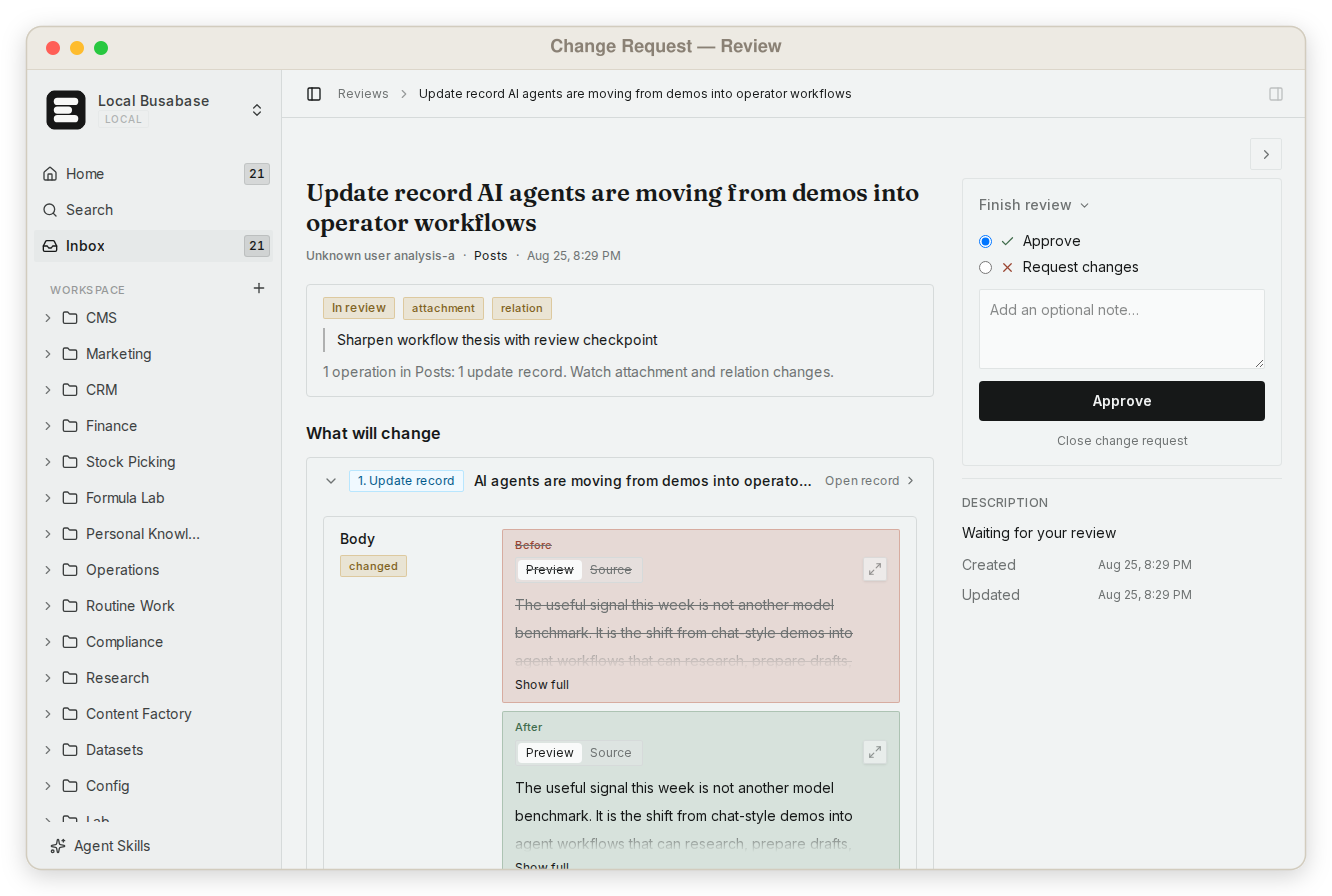
This is what makes it safe to let agents write to the data your team actually uses — not by keeping them out, but by making every change visible and reversible.
What else Busabase gives your agents and your team
Airtable is a good place for people to work in tables. These are the parts that make Busabase a place where people and agents work on the same things.
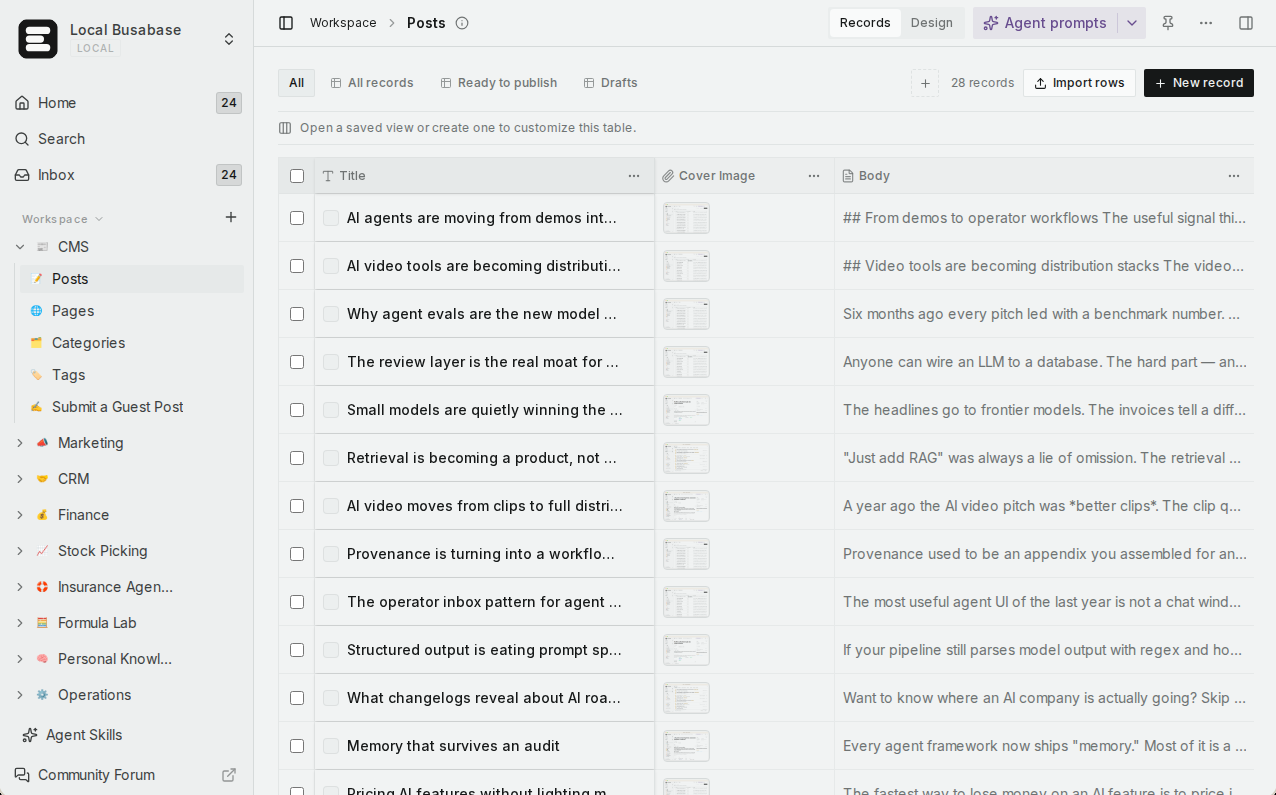
Visual data tables
A team knowledge base
Grep across everything
Skills you upload
Apps with four engines
Websites on your domain
A key for every agent
Agents connect in minutes
Runs where your data has to
Comparison by the job you are trying to do
Rows are the jobs teams bring to these products once agents are involved, not feature checkboxes. Where Airtable is the right tool, the table says so.
| What you are trying to do | Busabase | Airtable |
|---|---|---|
| See every change before and after, and which agent made it | Built in — a Change Request with a field-level diff, the author and the agent key it came through, and full history | Revision history shows which user changed what and when, kept from 2 weeks (Free) to 3 years (Enterprise Scale); view-only, no export |
| Undo a change an agent made | Yes — roll back any Change Request, whoever or whatever made it | Undo can't reverse edits made by another collaborator, an automation, a sync, or the API; a snapshot restores into a new base |
| Let one agent propose changes without applying them | Yes — a proposal-only key; its changes wait in the Inbox for a person | No propose-only mode for agents is documented. Automations an agent creates through MCP arrive paused until a person turns them on |
| Give each agent its own access level | Yes — read, propose-only, write, or manage keys, plus per-node permissions | An agent gets exactly the permissions of the person who connected it; granular agent permissions are listed as coming soon |
| Let teammates read and edit what agents wrote | Yes — table, gallery, kanban, calendar, and Gantt views, saved views, AND/OR filters | Yes — views and Interfaces for people are an Airtable strength too |
| Run a team knowledge base | Yes — Docs, files, and Bases in one tree with shared permissions | Records and attachments organised in bases |
| Find exact text across everything | Yes — one regex grep across files, Doc bodies, records, and agent prompts, with line and context | Omni answers questions about your data, at 10 AI credits per analysis response |
| Give every agent the same team Skills | Yes — upload your Skills once; every connected agent reads the same version | Not a workspace feature; agents read a base's records and structure through MCP |
| Turn the data into an app or a website | Yes — AirApps run in the browser, on your machine, in a cloud sandbox, or as a website on your own domain | Interfaces and Omni-built apps inside Airtable; Airtable Canvas for custom apps is in open beta |
| Connect Claude Code, Codex, Cursor, and other agents | Yes — MCP, CLI, OpenAPI, webhooks, and agent plugins | Yes — a hosted MCP server on every plan, including Free, with out-of-the-box connections for ChatGPT, Claude, and Gemini |
| Predictable pricing as the team grows | Flat per seat — from $10 per seat a month billed yearly, no metered overage | Per seat from $20 (Team) or $45 (Business) billed yearly, with records, automation runs, and API calls capped by plan |
| Self-host, including offline | Yes — MIT, from a laptop to an air-gapped network | No — Airtable is “a cloud-based SaaS product”; offline access is not supported |
| Take all of your work with you | Yes — a space exports to Markdown, Base definitions, and JSON records | Records export as CSV, attachments separately; revision history can't be exported |
| Polished no-code workflows for non-technical teams, with a large integration catalogue | Younger — views, forms, and workflows, with fewer ready-made integrations | Yes — Interfaces, automations, and integrations with tools like Slack, Google Drive, and Salesforce. This is Airtable's home ground |
Coming next
Three features are being built now. They are not available yet; we list them so you can plan, and this page will be updated when they ship.
App users In development
Ontology In development
Fine-grained permissions In development
How Airtable connects agents today
Airtable has moved quickly here, and deserves credit. Its MCP server is “available on every plan, including the free plan, at no additional cost,” with out-of-the-box connections for ChatGPT, Claude, and Gemini. Agents can find records, update them, and even create bases, tables, fields, and automations. Its Fall 2026 release made Omni 2.0, its built-in AI builder, generally available on all plans.
The access model is simple: an agent gets “exactly the permissions of the person who connected it, and nothing more.” Automations created through MCP “arrive paused” until a person turns them on, and agent audit logs are now generally available to account admins. Granular agent permissions and “bring your own agent and key” are listed as coming soon. The MCP server runs on Airtable's public API and counts against its rate limits: 5 requests per second per base.
So in Airtable today, an agent that can edit a base edits it with your permissions, and what it changed shows up afterwards in revision history and audit logs. In Busabase, each agent has its own key at the level its job needs, every write is a Change Request with a message and a diff, any of them can be rolled back, and an agent on a proposal-only key never changes anything until a person says yes.
Using them together
A common split for a team that already runs on Airtable and is adding agents:
- The team keeps its day-to-day workflows in Airtable — interfaces, automations, and the integrations it depends on.
- Your agent connects to both through MCP and reads the Airtable base it needs for a task.
- It writes its research, drafts, and record updates into a Busabase Base, each as a Change Request the team can read as a diff and undo.
- The Skills and Docs that tell agents how your team works live in Busabase, so every agent follows the same version.
Plenty of teams start this way and move more of the agents' work over as it proves itself. Neither product has to replace the other on day one.
Pricing at a glance
Busabase
Plus: from $10 per seat per month (billed yearly). Pro: from $20.
Flat per seat, no metered overage. Self-hosting is free under MIT with no seat limit.
Airtable
Team: $20 per seat per month billed yearly ($24 monthly), 50,000 records per base. Business: $45 billed yearly ($54 monthly), 125,000 records per base. Enterprise Scale: custom.
Read-only collaborators are free.
Prices as published on 13 November 2026. See Busabase pricing, Airtable pricing and Airtable plan limits for current details.
Where Airtable is the better choice
- A non-technical team builds its own workflows. Interfaces, automations, and integrations with tools like Slack, Google Drive, Salesforce, Jira, and Zendesk are mature and well documented.
- Your organisation has already standardised on it. Airtable says more than 500,000 organizations, including 80% of the Fortune 100, rely on it — and the workflows, people, and training are already in place.
- You want AI inside the table more than agents outside it. Omni builds apps from plain language and Field Agents research and summarise inside records.
Busabase's limits, plainly: it is the younger product, with fewer ready-made integrations (connect others through webhooks, the API, or your agent). It has no realtime subscriptions, and sign-in for the end users of the apps you publish is in development (App users) but not available today.
Frequently asked questions
Does Busabase replace Airtable?
Airtable already has revision history. How is a Change Request different?
Does every agent write need a human review?
Can I move data from Airtable to Busabase?
Airtable is now part of Bending Spoons. Does that change anything?
Can I self-host Busabase or run it offline?
Next step
Connect an agent you already use and ask it to put one real piece of work into a Base — a research list, a content calendar, a customer table. Then open the Change Request it made: you will see exactly what it wrote, and you can keep it or undo it.
Related reading: All comparisons · Busabase vs Notion · Busabase vs Supabase · Airtable's case for an agent system of record — and the part it leaves out · How Change Requests work · Search and grep
Sources: Airtable pricing, Airtable plans, Record-level revision history, Snapshots, Airtable MCP, Using the Airtable MCP server, Airtable Fall 2026 release, Airtable API rate limits, Airtable technical requirements, “Airtable is now part of Bending Spoons”, “Back to bases”, Busabase pricing