Busabase × ChatGPT
Knowledge base for ChatGPT
ChatGPT can find, compare, and draft an answer in minutes. Busabase gives that answer a home your whole team can use: records with fields and sources, Docs and files beside them, and a Change Request on every edit ChatGPT makes — so you can see what changed, who made it, and undo it.
Connect ChatGPT to Busabase over MCP in a few minutes. Claude Code, Codex, and your other agents read and write the same workspace.
Last verified 13 November 2026
The short version
What ChatGPT is great at
What Busabase adds
How they connect
https://busabase.com/api/mcp), sign in with OAuth, and pick the key level: read, propose, or write.A useful answer is not yet a durable fact
A chat can combine web results, uploaded files, and connected apps. It is still shaped for a conversation. A record your team runs on needs a stable identity, fields, evidence, an owner, and a history of who changed it.
| Where it lives | Best for | What it keeps |
|---|---|---|
| A ChatGPT conversation | Explaining and exploring | Narrative, tied to one chat |
| A ChatGPT project | Keeping related work together | Useful background inside the project |
| A Busabase record | Coordinating downstream work | Structured fields, sources, owner, and every change as a Change Request — readable by people and any agent |
Every change ChatGPT makes is a Change Request
ChatGPT can ask before an app runs a write action — that protects the tool call. Busabase records what the call actually changed. Every edit ChatGPT makes to a record, Doc, or Skill arrives as a Change Request: a message, a field-level before and after, the author and the key it came through, and a one-step rollback.
You choose how much ChatGPT can do. A read key lets it search and fetch. A proposal-only (changeRequest) key means its changes wait in the Inbox for a person. A write key lets its changes merge at once — still with the full diff and undo.
- A message and a diff on every write. Each change says what it does and shows the field-level before and after.
- Know which agent did it. The author, and the key or tool the change came through, stay on the commit.
- Undo is built in. Records, Docs, and Skills keep their full history; merging never overwrites, and any change can be rolled back.
- Review when you choose. Writes with write access merge at once. Give an agent a proposal-only key, or send a change with
autoMerge: false, and it waits in the Inbox for a person to approve or send back. Read the Change Request docs.
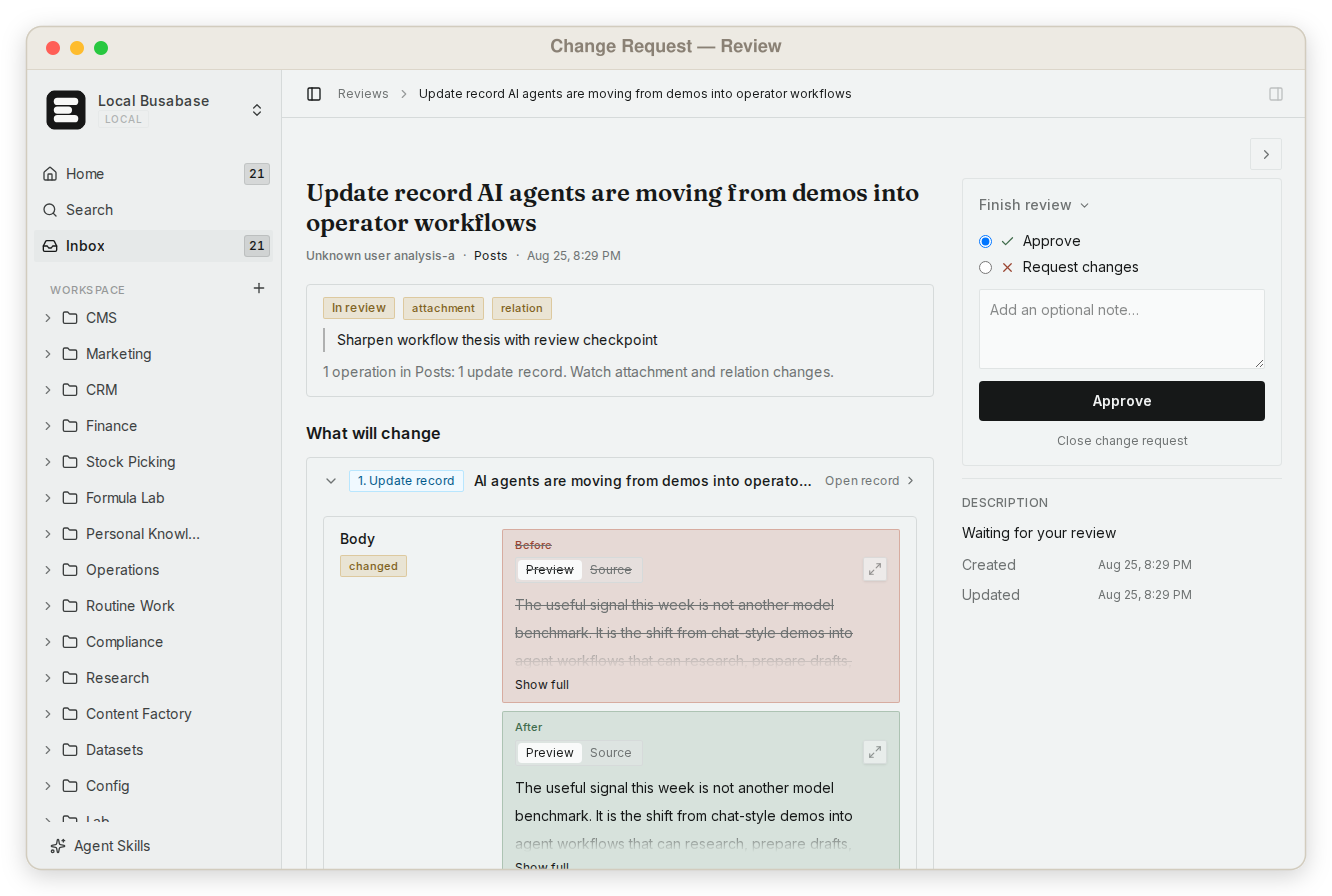
Two different questions, two layers: ChatGPT's confirmation asks “may I call this tool now?”; the Change Request answers “what exactly changed in our data, and can we take it back?”
From research to a record your team reuses
When a research memo becomes a supplier decision, a launch brief, an account update, or a policy exception, pull the claim and its source into fields. The record should make sense without reopening the chat.
- Gather. ChatGPT reads the sources and apps you select for the message.
- Distil. It separates facts, inferences, open questions, and the recommended action.
- Write. It creates or updates the record in Busabase; the edit lands as a Change Request with its message and diff.
- Review where it matters. For ledgers that carry consequences, a proposal-only key holds the change for the owner to approve or send back.
- Reuse. People, apps, and other agents read the current record instead of an old chat.
A small research ledger
Store what another person needs to verify, not every sentence ChatGPT wrote. This compact schema works for decisions derived from research and connected business data:
| Field | Purpose |
|---|---|
| subject | The company, account, market, policy, or decision being tracked |
| claim | One concise statement the team may rely on |
| source_urls | Primary evidence and connected-record references |
| confidence | Confirmed, supported, uncertain, or contradicted |
| owner | The person accountable for the record |
| effective_at | When the fact starts to apply |
| next_check | When it should be checked again |
ChatGPT alone, or ChatGPT with Busabase
Rows are the jobs teams bring to a ChatGPT knowledge base. The first row is ChatGPT's home ground; Busabase does not replace it.
| What you are trying to do | ChatGPT with Busabase | ChatGPT alone |
|---|---|---|
| Research, summarise, and draft from the web and your files | ChatGPT does this; Busabase supplies the team's records and Docs as context | Yes — its home ground |
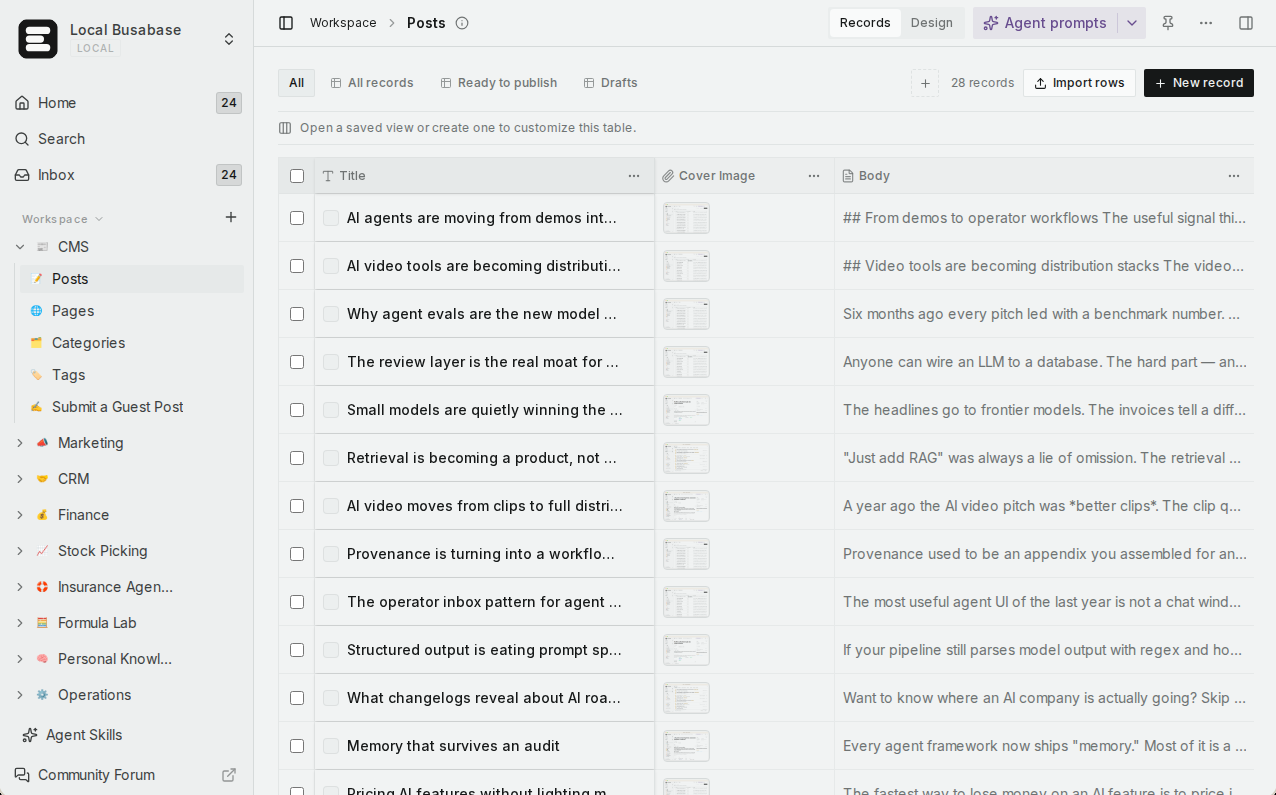
| Keep findings as structured records with sources and owners | Yes — Bases with real field types | Answers stay in conversations and projects |
| See every change, who made it, and undo it | Yes — a Change Request on every edit | Not designed for record-level history |
| Let teammates browse and fix the knowledge | Yes — table, gallery, kanban, calendar, and Gantt views | Shared chats and projects |
| Find exact text across files, Docs, and records | Yes — one grep with line and context | Search within ChatGPT |
| Use the same knowledge from Claude Code, Codex, and scripts | Yes — one workspace over MCP, CLI, and API | Tied to ChatGPT |
| Turn the knowledge into an app or a website | Yes — AirApps, including websites on your own domain | Not a ChatGPT feature |
What else the knowledge base gives you
A team knowledge base
grep across everything
Shared team Skills
AirApps on live data
Websites on your own domain
Agents connect in minutes
Open source, runs anywhere
Flat, predictable pricing
Start from a template
Connect it, then scope it
- Connect. In ChatGPT on the web, add a custom MCP server with
https://busabase.com/api/mcp, choose OAuth, and sign in to Busabase. Step-by-step guide. - Workspace controls on the ChatGPT side. OpenAI's docs say “Account and workspace policies apply to adding and using custom MCP servers,” and that “As an admin, you decide who can use each plugin and what its apps can do.”
- Record controls on the Busabase side. The Busabase identity you sign in with decides which spaces and records ChatGPT can reach, and the key level decides whether its edits merge or wait. As OpenAI puts it, “Asking for confirmation doesn’t replace restrictions on what the app or connected account can access.”
- Private servers. ChatGPT cannot reach
localhost. OpenAI documents Secure MCP Tunnel “to connect a private MCP server in ChatGPT without exposing the server to the public internet.” Busabase Cloud uses its public HTTPS endpoint, so no tunnel is needed.
Coming next
These are being built now. They are not available yet, and this page will say so until they ship.
App usersIn development
OntologyIn development
Fine-grained permissionsIn development
ChatGPT knowledge base FAQ
Does Busabase replace ChatGPT memory or projects?
Can ChatGPT write directly into Busabase?
Does every change need approval?
Why not paste the whole research report into one field?
Can ChatGPT connect to Busabase running on my own machine?
How is this different from ChatGPT's own shared pages?
Start with one record
Connect one workspace, pick a small decision ledger, and let ChatGPT write the first sourced record. Then open its Change Request and see exactly what it did.
Related: Busabase vs ChatGPT Space · Compare Busabase · Change Requests · System of record for AI agents · What is an agent workspace
Sources: OpenAI: Connect and test your plugin, OpenAI: plugin and app administration