Comparison
Busabase vs Firebase for AI Agents
Firebase gives your mobile and web apps a managed backend on Google Cloud. Busabase gives your agents and your team a shared workspace — visual tables, a team knowledge base, Skills, and apps — where every change an agent makes is a Change Request you can read, review, and undo. If your question is where the work your agents do for the business should live, Busabase answers it on day one.
Firebase's agent tools are excellent at helping a coding agent build and operate a Firebase app. Busabase is built for the other half of agent work: the records, documents, and decisions agents produce every day. Many teams will want both; this page compares them job by job.
Last verified 13 November 2026 against Firebase's pricing page, its Firestore, MCP server and agent skills documentation, the Firebase blog, and Busabase's current product.
The short verdict
Choose Busabase when
Choose Firebase when
Use both when
The core difference: every change is a Change Request
Busabase treats every edit like a pull request for your data. A new record, a rewritten Doc, an edited Skill file, a schema change — each one is a Change Request: a branch with a chain of immutable commits. Merging moves the record forward, and the earlier version is still there.
Firebase protects data at the door. Firestore Security Rules check each request from your app and either allow it or reject it; server libraries skip the rules and rely on IAM. Once a write goes through, the document holds the new value. To get an older state back, you recover a point in time from the last 7 days or restore a backup — both into a new database, not one document at a time.
- Every write explains itself. Each change carries a message and a field-level before and after, so a reviewer sees exactly what moved.
- Every change has a name on it. The author, and the agent key or tool it came through, stay on the commit for good.
- Undo one change, not the whole database. Records, Docs, and Skills keep their full history, and any single change can be rolled back.
- Review is your call. Writes with write access merge straight away. Give an agent a proposal-only key and it cannot apply anything: its changes wait in the Inbox until a person approves or sends them back.
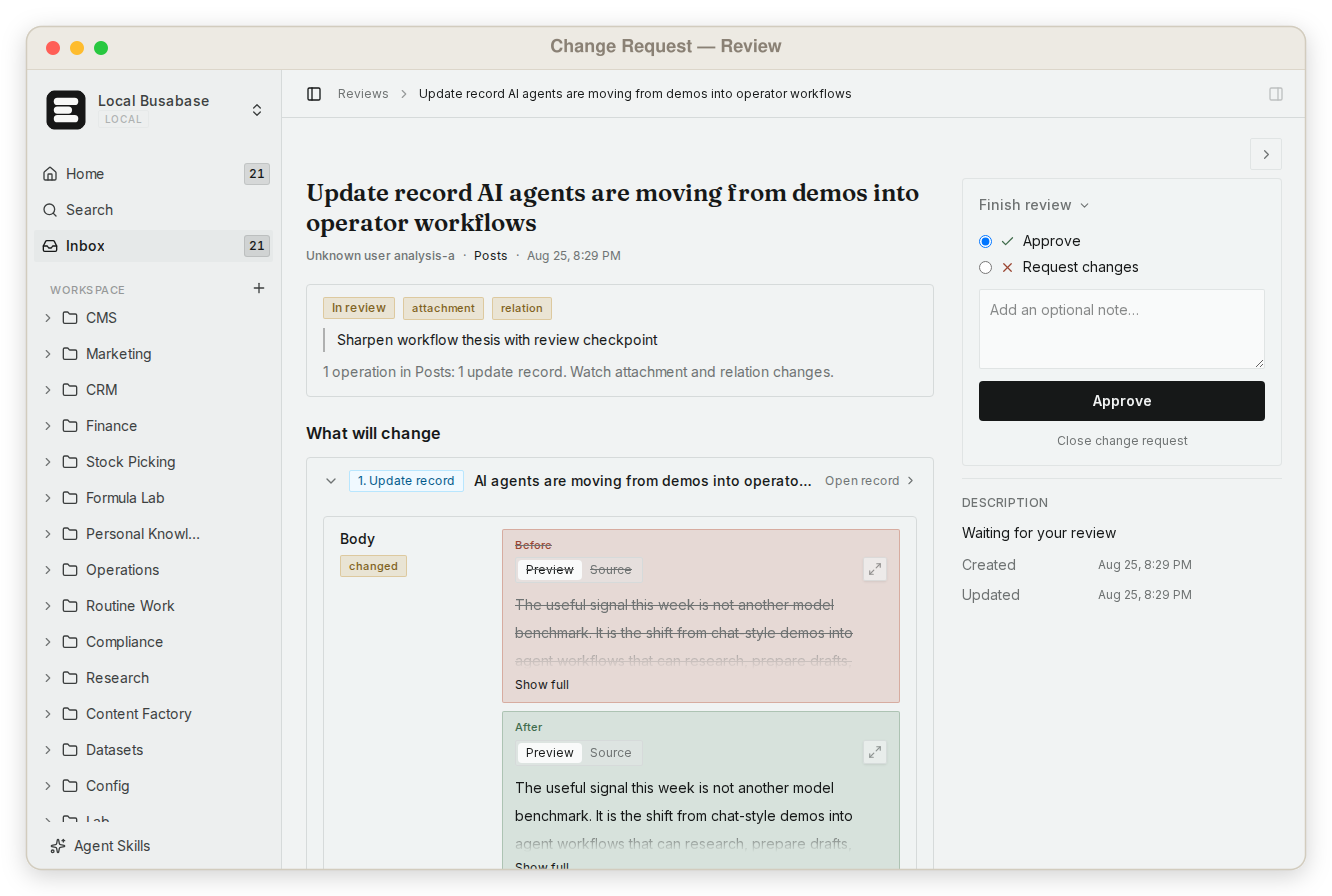
That is the difference between letting an agent near your data and letting it work on your data: in Busabase, every change it makes stays visible, attributable, and reversible.
What else Busabase gives your agents and your team
With a backend like Firebase, each of these is something you design, code, and host. In Busabase they are part of the workspace.
Visual data tables
A team knowledge base
Grep across everything
Skills you upload
Apps with four engines
Websites on your domain
Made for a team
Agents connect in minutes
Your data, where you want it
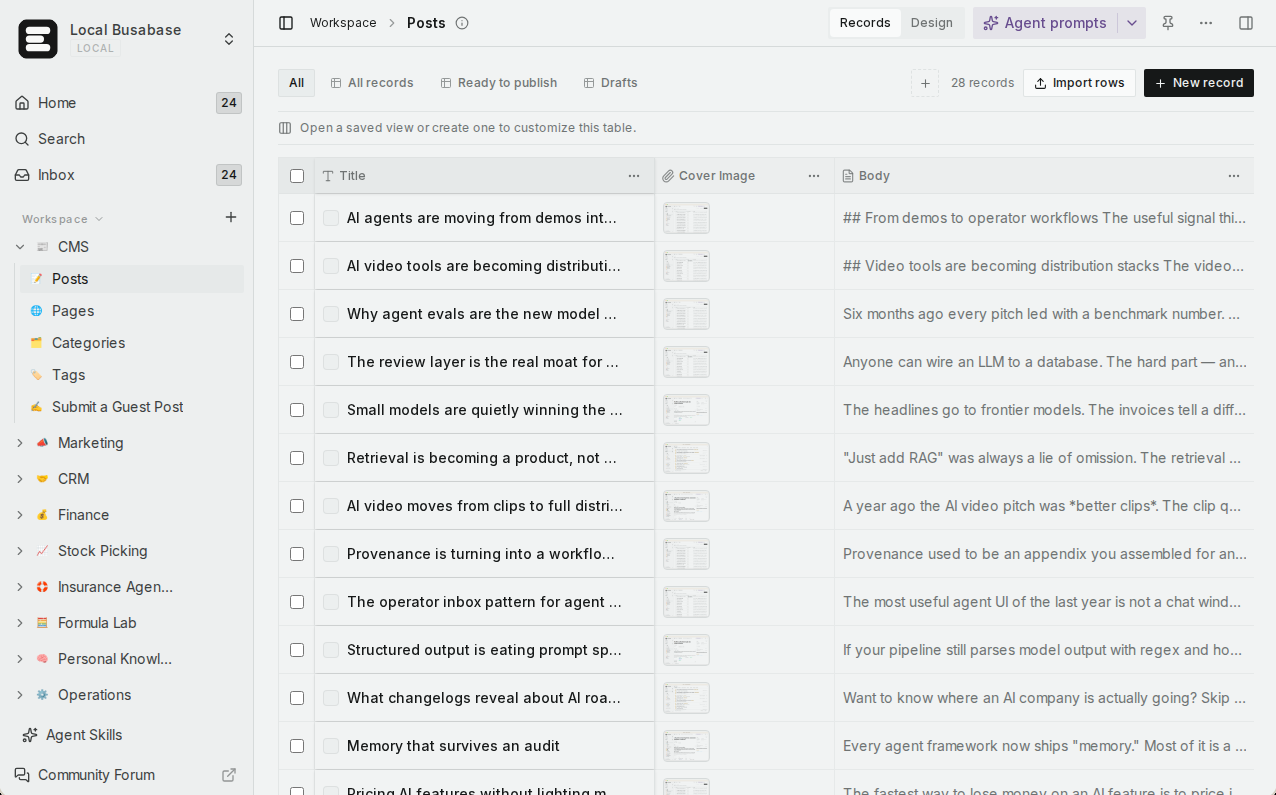
Comparison by the job you are trying to do
Each row is a job a team brings to these products. Firebase's home ground gets its own row, and the table says plainly where Firebase is the tool to use.
| What you are trying to do | Busabase | Firebase |
|---|---|---|
| See what changed, before and after, and who changed it | Built in — a Change Request with a field-level diff, author, agent key, full history, and undo | Not per document: a write replaces the document. Point-in-time recovery (up to 7 days) and backups restore into a new database |
| Let one agent propose changes without applying them | Yes — a proposal-only key; its changes wait in the Inbox for a person | Not in the data layer: Security Rules allow or reject a client request, and server libraries bypass them |
| Let teammates read and edit what agents wrote | Yes — table, gallery, kanban, calendar, and Gantt views, no queries | The Firestore data viewer and Query builder in the Firebase console, built for developers |
| Bring teammates and agents into one workspace | Yes — members with read, write, or manage roles; agents join with their own keys | Project members with IAM roles for the console and APIs |
| Run a team knowledge base | Yes — Docs, files, and Bases in one tree, with shared permissions | Cloud Storage for files; no documents |
| Find exact text across everything | Yes — one regex grep over files, Doc bodies, records, and agent prompts | Queries over your own collections; full-text search is in preview on Firestore Enterprise edition |
| Give every agent the same team Skills | Yes — upload once; every connected agent reads the same version | Not a product feature (Firebase agent skills teach agents how to build with Firebase) |
| Turn the data into an internal tool, no app project needed | Yes — your agent builds an AirApp that opens inside the workspace | Write the app yourself or with a coding agent, then deploy it |
| Publish a website on the same data, on your domain | Yes — Website engine on Cloudflare Workers, custom domains (Plus and above on Cloud) | Yes — Hosting and App Hosting take custom domains; the site's code is yours to write |
| Connect Claude Code, Codex, Cursor, and other agents | Yes — MCP, CLI, OpenAPI, webhooks, and agent plugins | Yes — a local MCP server, agent skills, and plugins, aimed at building and running your Firebase project |
| Know the bill before it arrives | Flat per seat — no metered overage | Pay as you go beyond free quotas; spend caps are in public preview and are not hard caps |
| Self-host, including offline | Yes — MIT, from a laptop to an air-gapped network | No — a managed Google Cloud service; the Emulator Suite is for local testing only |
| Backend for your own mobile or web app: user sign-in, realtime sync, push, analytics | Not its job — use Firebase | Yes — this is Firebase's home ground |
Coming next
These three are being built now and are not available yet. They are listed so you can plan; this page will change when they ship.
App users In development
Ontology In development
Fine-grained permissions In development
Firebase's agent tools build apps. Busabase is where agents do the work.
Firebase has gone further than most backends in welcoming agents. Its MCP server works with Antigravity, Claude Code, Cursor, VS Code Copilot, and other clients; its agent skills teach an assistant “Firebase best practices”; and plugins bundle both for Claude Code, Codex, and Cursor. A coding agent can create a project, set up sign-in, write starter Security Rules, and deploy.
Those tools are about building and operating an app. The MCP server can also read and write Firestore documents, and it acts “with your approval”: the approval your coding tool asks for at the moment a call runs. After that, the document simply holds the new value: there is no message saying why it changed, no diff to review later, and no way to undo that one change.
That is fine for an app's own data. It is not enough for the work agents do for a business — updating customer records, drafting content, keeping operating docs and Skills current — where you need to know what each agent changed and why, and to reverse a single mistake. In Busabase, that record is kept for you on every write.
One more thing worth knowing if you are choosing tools today: Firebase Studio, the AI-assisted full-stack development environment it launched as a preview, is sunsetting on March 22, 2027, and Firebase points agent-driven building to Google AI Studio and Antigravity. Firestore, Authentication, and the other core services are not affected.
Using them together
A common split for a team that ships an app on Firebase and runs agents alongside it:
- Your app — its users, sign-in, realtime data, and push notifications — stays on Firebase.
- A support agent reads incoming feedback and files it into a Feedback Base in Busabase, where the product team triages it on a kanban board.
- A content agent drafts release notes and store listings in a Content Base; an editor reviews its Change Requests before anything is published.
- When something should reach the app, your code reads the finished records through the Busabase API — or the agent publishes them as an AirApp website on your domain.
Firebase keeps your app running for its users. Busabase keeps your agents' work readable, accountable, and reusable for your team.
Pricing at a glance
Busabase
Plus: from $10 per seat per month (billed yearly). Pro: from $20.
Flat per seat, no metered overage. Self-hosting is free under MIT with no seat limit.
Firebase
Blaze: pay as you go; Spark's no-cost usage is included, then most services bill at Google Cloud rates. Eligible new accounts can get $300 in credit.
Spend caps for AI Logic, Cloud Functions, and App Hosting are in public preview; Firebase notes they are not hard caps.
Prices as published on 13 November 2026. See Busabase pricing and Firebase pricing for current details.
Where Firebase is the better choice
- You are building a mobile or web app. Authentication, Firestore with realtime sync and offline support, Cloud Functions, Cloud Messaging, Crashlytics, and Analytics come with SDKs for Android, iOS, Flutter, Unity, and the web. Busabase is not a mobile backend.
- You want Gemini inside your client app. Firebase AI Logic calls Gemini models from mobile and web apps without a server of your own, and the rest of Google Cloud is one step away.
- Your writes are machine-scale. Events, telemetry, and high-frequency app updates belong in an application database.
Busabase's limits, plainly: no realtime subscriptions, no vector index, no push notifications or crash reporting, and no migration tooling for your app's schema. Sign-in for the end users of apps you publish is in development (App users) and not available today. If you need these now, keep Firebase for your app and use Busabase beside it.
Frequently asked questions
Does Busabase replace Firebase?
Firebase's MCP server can already write to Firestore. Why add Busabase?
How is a Change Request different from point-in-time recovery?
Does every agent write need a human review?
Can one agent write to Firebase and Busabase in the same run?
Can I self-host Busabase?
Next step
Connect an agent you already use and give it one real job that ends in a Base — a feedback triage list, a release-notes calendar, a customer table. Your team can open the result as a table in minutes and see every change it made.
Related reading: All Busabase comparisons · Busabase vs Supabase · Busabase as a Notion + Supabase hybrid · How platforms handle agent writes · How Change Requests work · Search and grep · Publish an AirApp as a website
Sources: Firebase pricing, Firebase MCP server, Firebase agent skills, Get started with Cloud Firestore Security Rules, Firestore point-in-time recovery, Firestore scheduled backups, Introducing Firebase spend caps, Firebase Local Emulator Suite, Firebase Studio sunset and project migration, What’s new from Firebase at Cloud Next 2026, Busabase pricing