 Busabase × Warp
Knowledge base for Warp
Warp already gives Agents rich context through Rules, Workflows, Notebooks, Skills, Prompts, MCP servers, and execution environments. Busabase gives the result a cross-system record with evidence, an owner, and a full change history.
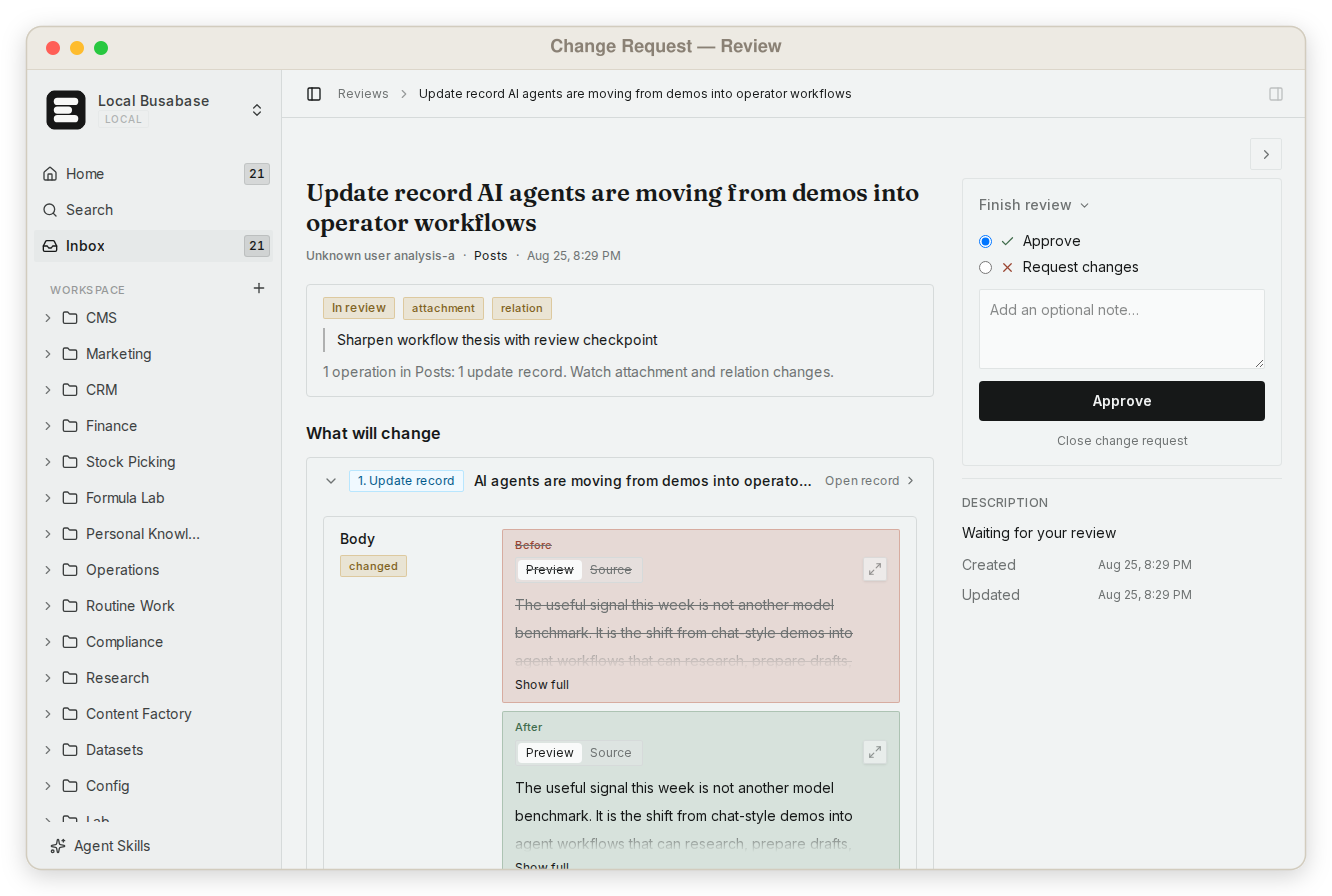
Keep Warp Drive useful
Rules, Workflows, Notebooks, Skills, and records are different operational objects.
Warp Agents can automatically retrieve relevant Warp Drive objects and show them under References or Derived from. Busabase should not copy that library. It should receive the small state change that must survive beyond the session or coordinate another system.
Context with visible provenance
References explain why the Agent acted. The record explains what the organization now treats as current.
When Warp injects a Drive object into Agent context, the conversation can identify the reference. Preserve that provenance in the handoff. Link the Rule, Notebook, Workflow, Skill, MCP record, and run rather than flattening them into an unsupported summary.
Referenced by Agent
Which Warp Drive object shaped the response?
Produced by run
Which command, diff, artifact, or external action occurred?
Verified by evidence
Which test, log, API response, or human observation supports it?
Merged through
Which key merged it, and did anyone review it first?
Local and cloud are different contracts
A tool that works on the desktop is not automatically available to a cloud run.
Warp documents separate MCP paths for local Agents, third-party CLI Agents, and cloud Agents. Local sessions may use desktop-authenticated services. Cloud runs need reachable endpoints, Agent Secrets or managed authorization, and an execution environment that contains the required repository and tools.
| Surface | Typical job | Required boundary |
|---|---|---|
| Local Warp Agent | Interactive terminal or editor work | Desktop settings, Warp Drive, or file-based MCP |
| Third-party CLI Agent | Claude Code, Codex, OpenCode, or another harness in Warp | Harness-specific or shared file configuration |
| Cloud Agent run | Background, scheduled, integration, CI, or API execution | Run config, shared MCP UUID, secrets, and cloud environment |
| Busabase Change Request | Cross-run state changes | Key level (write or proposal-only), Base policy, and an optional reviewer |
Operational handoff
Turn a successful run into a state transition another system can inspect.
A terminal transcript or cloud-run page contains execution detail. The handoff should extract only the status, evidence, owner, and next action needed by support, product, security, finance, or another Agent.
Run-to-record contract
Use a stable record to compare work across terminals, environments, and Agents.
The record is intentionally smaller than the transcript. It retains enough provenance to reopen the exact run and enough structure for another workflow to filter, notify, or act.
| Field | Purpose |
|---|---|
| work_key | Stable identity for the incident, release, request, or operation |
| run_ref | Warp local/cloud run and conversation URL |
| execution_surface | Local Agent, third-party harness, cloud run, or schedule |
| environment_ref | Repository, revision, host, runner, and relevant profile |
| context_refs | Rules, Notebooks, Workflows, Skills, prompts, and MCP sources |
| evidence | Artifacts, tests, logs, diffs, and external responses |
| proposed_state | Agent's concise operational interpretation |
| decision | Accepted, conditional, rejected, blocked, or superseded |
| owner | Person accountable for the canonical state |
| next_action | Downstream work authorized by the decision |
Three control planes
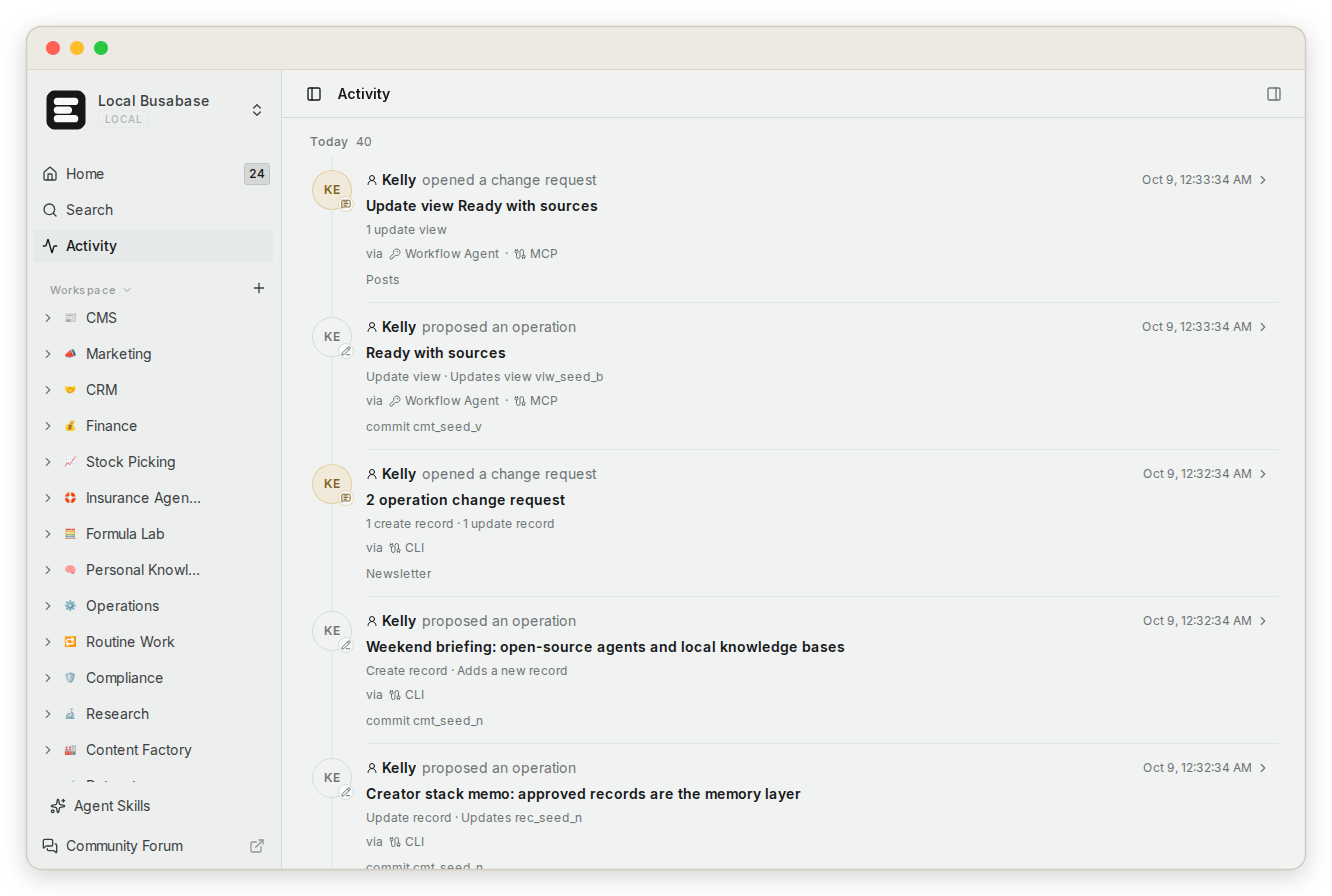
Agent Profiles, run permissions, and Change Requests govern different risks.
Warp Agent Profiles and team settings control model, autonomy, tools, permissions, and execution behavior. MCP controls access to external capabilities. Busabase records every resulting field change as a Change Request: diffed, attributed to the key, and reversible, with review when you choose.
EXECUTION PROFILE
What may this Agent do in this environment?
MCP / SECRET BOUNDARY
Which external systems and credentials may the run use?
CHANGE REQUEST
What changed, through which key, and does it wait for review?
Connection and reachability
Test the exact execution surface, not an abstract MCP configuration.
A local OAuth connection may fail in an unattended cloud run, and a secret in your shell may not exist in the selected environment. Follow the connection page, then test identity, read scope, proposal scope, evidence links, and (if you use one) reviewer assignment in the same surface that will run production work.
Questions from Warp teams
Warp knowledge base FAQ
Does Busabase replace Warp Drive?
No. Warp Drive is the right home for Agent-facing Rules, Workflows, Notebooks, Prompts, Plans, environment variables, and shared MCP configuration. Busabase stores cross-system state and its full change history.
Should a Workflow write canonical records directly?
It can: with a write-level key the write merges immediately and still lands as a Change Request with a diff and history. For data another team depends on, give it a proposal-only key so its changes wait in the Inbox for the domain owner.
Are References or Derived from enough evidence?
They are valuable provenance, but a durable record may also need an immutable repository revision, command output, test, artifact, external API response, or human observation.
Can the same workflow run locally and in the cloud?
Often, but the contracts differ. Confirm repository availability, environment, credentials, endpoint reachability, MCP authorization, and tool support for each surface.
What belongs in the Busabase record instead of the Warp transcript?
Store the stable work identity, current state, evidence references, owner, effective time, and next action. Keep detailed reasoning and execution steps in the original run.
Start with one handoff
Let Warp execute the work and Busabase keep the state others rely on, with a source and a history.
Choose one recurring local or cloud run whose result affects another team. Define the run-to-record contract, use proposal-only access, and review the first transition before automating the next step.