The Skill moved workspaces. Why is it still using another configuration?
Trace scoped overrides and runtime access without exposing secret values during diagnosis.

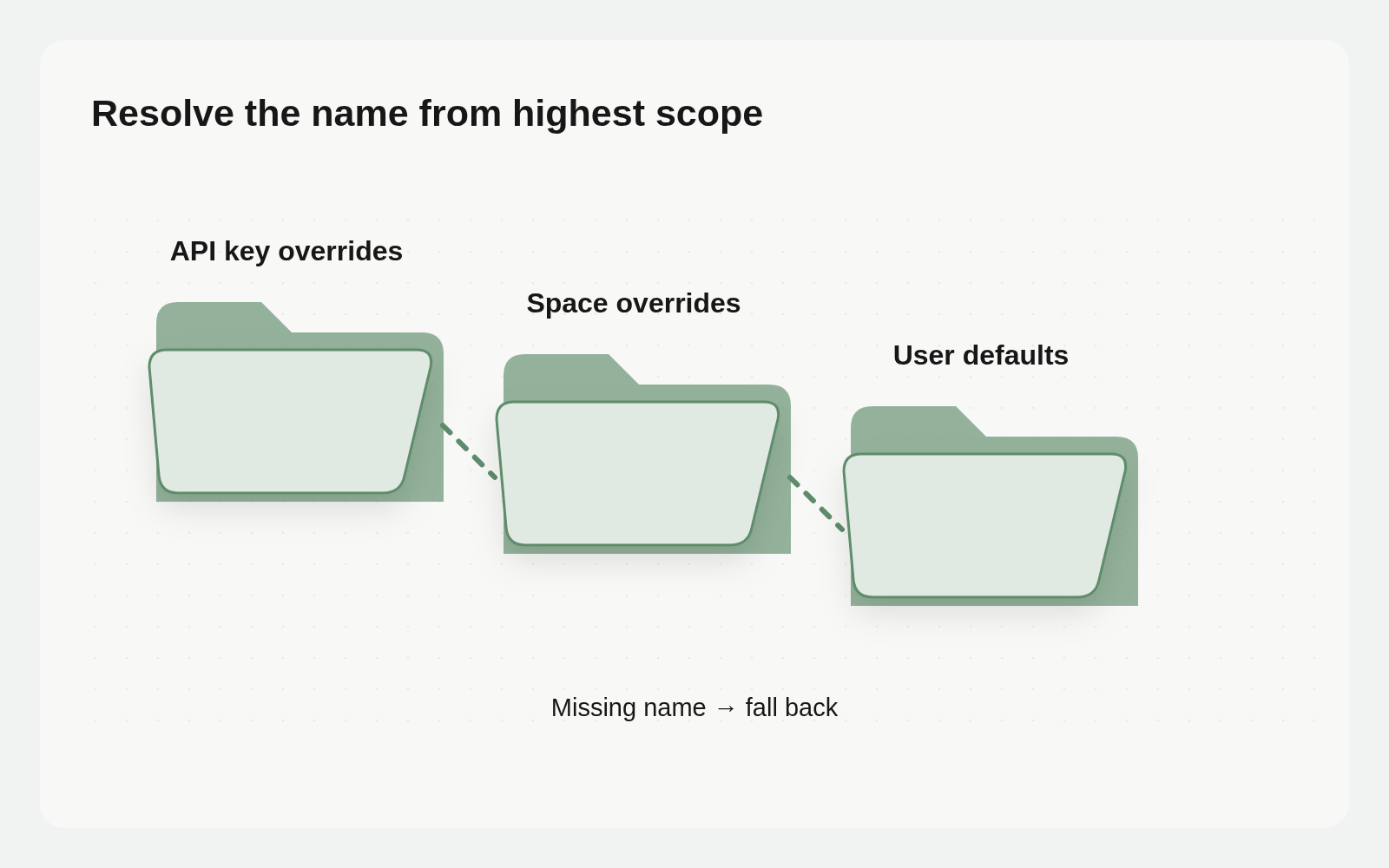
A workspace can change while a configuration name still resolves through a familiar source. Layered settings retain defaults when a higher scope lacks a name; a higher-priority override can also take precedence over a newly configured Space value.
Copying credentials again can increase maintenance without fixing resolution. Trace the authenticated context and active layer, keeping permission to use a value separate from permission to reveal it.
Trace three override layers
Current Cloud scopes are User defaults, Space overrides and API key overrides. Precedence is API key overrides, then Space overrides, then User defaults. A missing name at one layer falls back to the next lower layer.
Session-authenticated requests receive user defaults plus the active Space’s overrides. API-key requests additionally receive matching key overrides. A key-level value can therefore take precedence over a new Space’s value; an absent Space value can fall back to the user default.
For each name, check whether the authenticating key has an override, whether the intended Space has one and what lower scope remains if neither does. Base, Agent and Tool scopes reserved in the data model are not additional scopes currently exposed by the Cloud UI.
Locate the execution first
The Vault guide states that Busabase Cloud resolves values server-side after authentication. REST, SDK and MCP clients do not directly receive secrets, and there is no public GET Vault secret endpoint.
Busabase-hosted code uses that server context. An external Agent process or local script has its own environment configuration. Connecting an Agent does not automatically inject Vault into every local process. CLI account selection determines a request’s destination; runtime-value resolution is a separate concern.
Check type and capability separately
Secrets hold sensitive credentials and are masked unless an authorized user reveals them. Variables hold nonsensitive settings such as provider, model, region or account alias. Names use uppercase letters, digits and underscores. An alias helps inspection but does not replace destination identity.
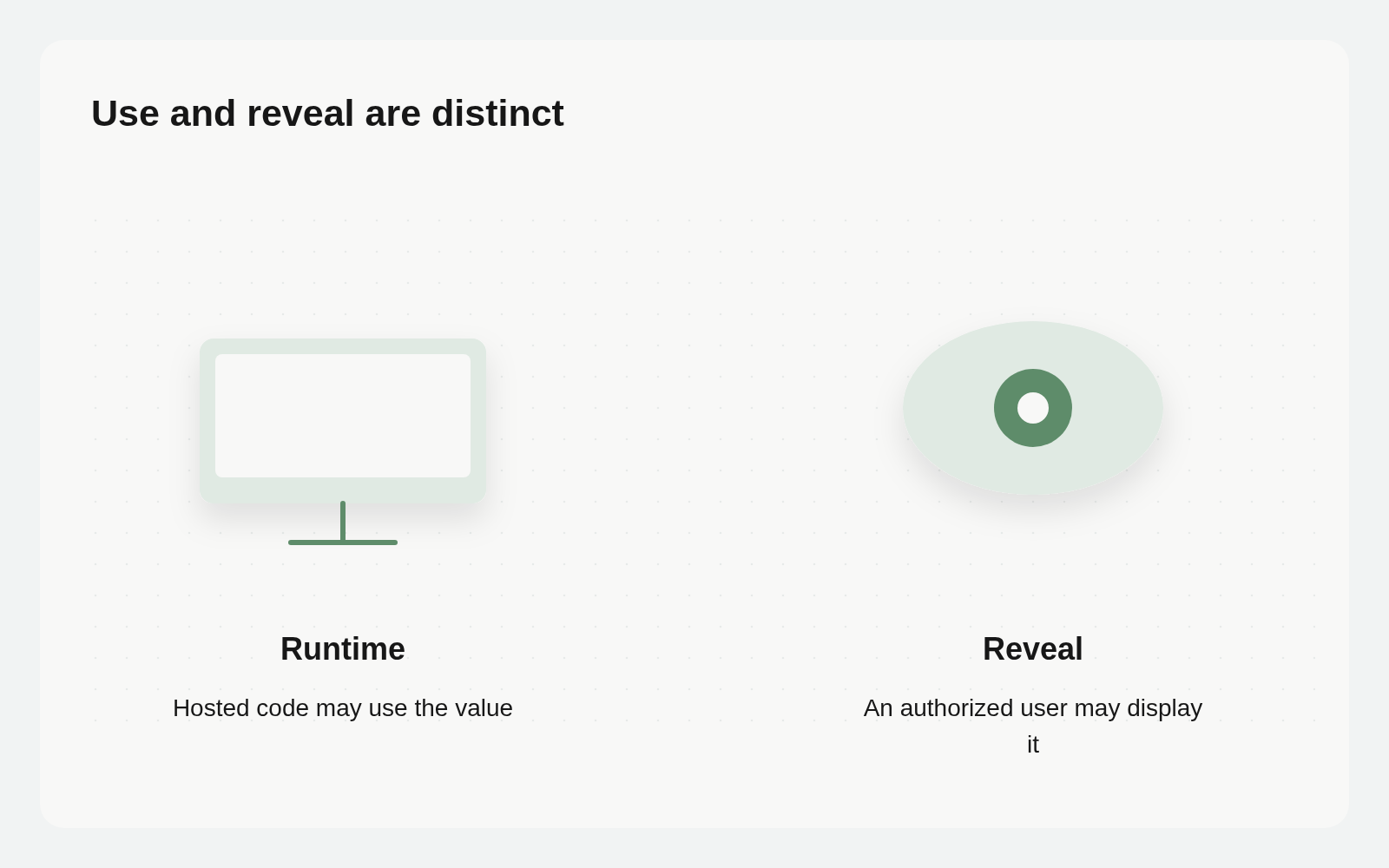
Each item has Runtime, Reveal, Edit and Share capabilities. Runtime permits hosted execution to use it. Reveal permits an authorized user to show a secret in the UI. Edit permits updates or deletion. Share is reserved for delegation workflows. Needing runtime use does not imply needing Reveal access.
Busabase audits item creation, updates, deletion, reveals and runtime reads. Use available metadata and audit evidence to locate the source rather than printing values into logs to demonstrate access.
Build a secret-free source checklist
In Account Settings → Vault, inspect the same name at user, Space and key scopes. Retain name, type, scope, presence, expected source, relevant capabilities and the owner of an unresolved question. Do not retain secret values or reversible fragments.
An authorized person should compare the request’s authentication and Space with those scopes. If metadata access is missing, state the missing evidence instead of bypassing masking through export or debug code.
Read the authentication type, target Space and scopes for the specified configuration names in this hosted run. Report presence, override source and permission gaps without secret values. Do not request Reveal, change Vault or call a business service. Treat the external Agent environment as a separate check.
This is a suggested diagnostic instruction, limited by the Agent’s actual tools and permissions. Chat does not grant additional access.
Define the impact before changing a layer
A user default can affect several Spaces. A Space override applies to that workspace. A key override follows the specified credential. Identify the intended impact, responsible owner and recovery plan before modifying configuration for one task.
Do not send real mail, rotate keys or change service accounts merely to verify resolution. An authorized environment can use a nonsensitive Variable to check expected precedence. For Secrets, use only the minimum evidence necessary to accept behavior, with no value in the output. Tests and external operations keep their own authorization.
An existing configuration-maintenance Base can track names, scopes, owners, expected sources, checks and gaps. Secrets remain in Vault. A tracking table does not synchronize Vault or alter permissions automatically.
Separate an unexpected value from denied access
Diagnosis has two separate questions: which layer the authenticated context selects, and whether the runtime may use the item. Missing Runtime permission should not be bypassed by requesting Reveal. Being able to display a Secret does not establish which layer an execution received.
List affected runs before changing anything. User defaults can affect several Spaces; a key override affects requests using that key. For a single-Space correction, assess the intended scope rather than changing a shared default simply because it is convenient.
Make the method reusable and its context explicit
Document which names a Skill requires, which runtime reads them and how to stop if they are absent. Keep workspace differences in the intended configuration layer rather than hardcoding secrets into instructions, logs or artifacts.
A useful diagnosis explains the execution context, why a source was selected and who will confirm a correction. It does not need to disclose the secret itself.