The file is in the knowledge base. Why can’t the Agent find it?
Check searchable text and coverage before interpreting zero matches as missing knowledge.

A file can exist in a knowledge base without having current searchable text. A downloadable PDF may never have been extracted; a replaced document may still be represented by an older extraction.
“Nothing found” can therefore mean absent material, incomplete coverage, stale text or a real lack of matches. The useful task is to establish whether this search result can support a conclusion before trying more keywords.
Read coverage before accepting zero matches
Inspect coverage and truncated before drawing a conclusion. missing, stale, errored, notReached or truncated true prevent a complete negative claim. Check each source: some files may lack text while another source was not reached before a limit.
Narrow sources first, then a Base slug or Drive path, rather than simply increasing maxMatches. Supply missing text or re-extract changed files. More query variations do not repair these gaps.
Matches contain source, line, column and nearby context. Read the bounded matching range to verify the actual passage before quoting it. File matches also identify the owning Skill or Drive, helping distinguish similarly named material.
A stored file needs a searchable representation
The search guide explains that text files such as Markdown, JSON and CSV use their own UTF-8 bytes. Binary files such as PDFs, office documents, images and recordings need an external tool or Agent to extract or transcribe text and supply it to the Asset. Busabase stores and searches that supplied text; it does not run bundled OCR, transcription or document parsers.
A successful download therefore does not prove that grep has complete, current text to inspect. Start with the representation that the search actually reads.
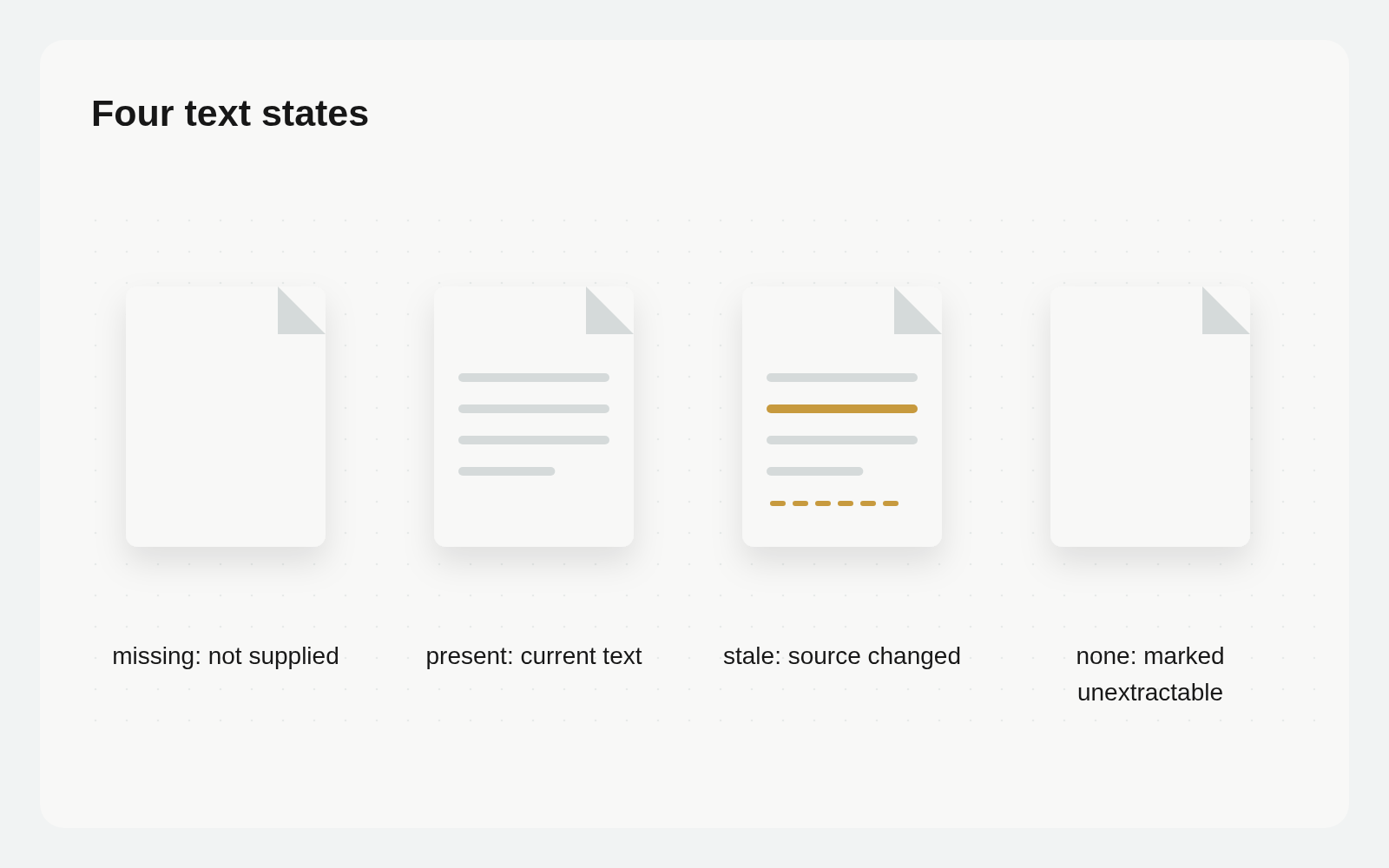
There are four textStatus values. missing means no text has been supplied. present means current searchable text is available. stale means the source changed after text was supplied. none intentionally marks the file as having no extractable text. That last status is not a business conclusion that the document contains no information; text can be supplied later when extraction becomes possible.
Choose the right search
Use playbooks search to find saved methods, grep to locate exact text, and search for ranked related results. Search includes pending ChangeRequest drafts, but matches long field values only in their first 8,000 characters. Use grep to confirm full wording.
Grep searches file text, Doc bodies, current merged record fields and custom prompts on nodes. A difference between a draft-aware search result and the current merged values is not automatically data loss.
Keep the extracted text tied to the current source
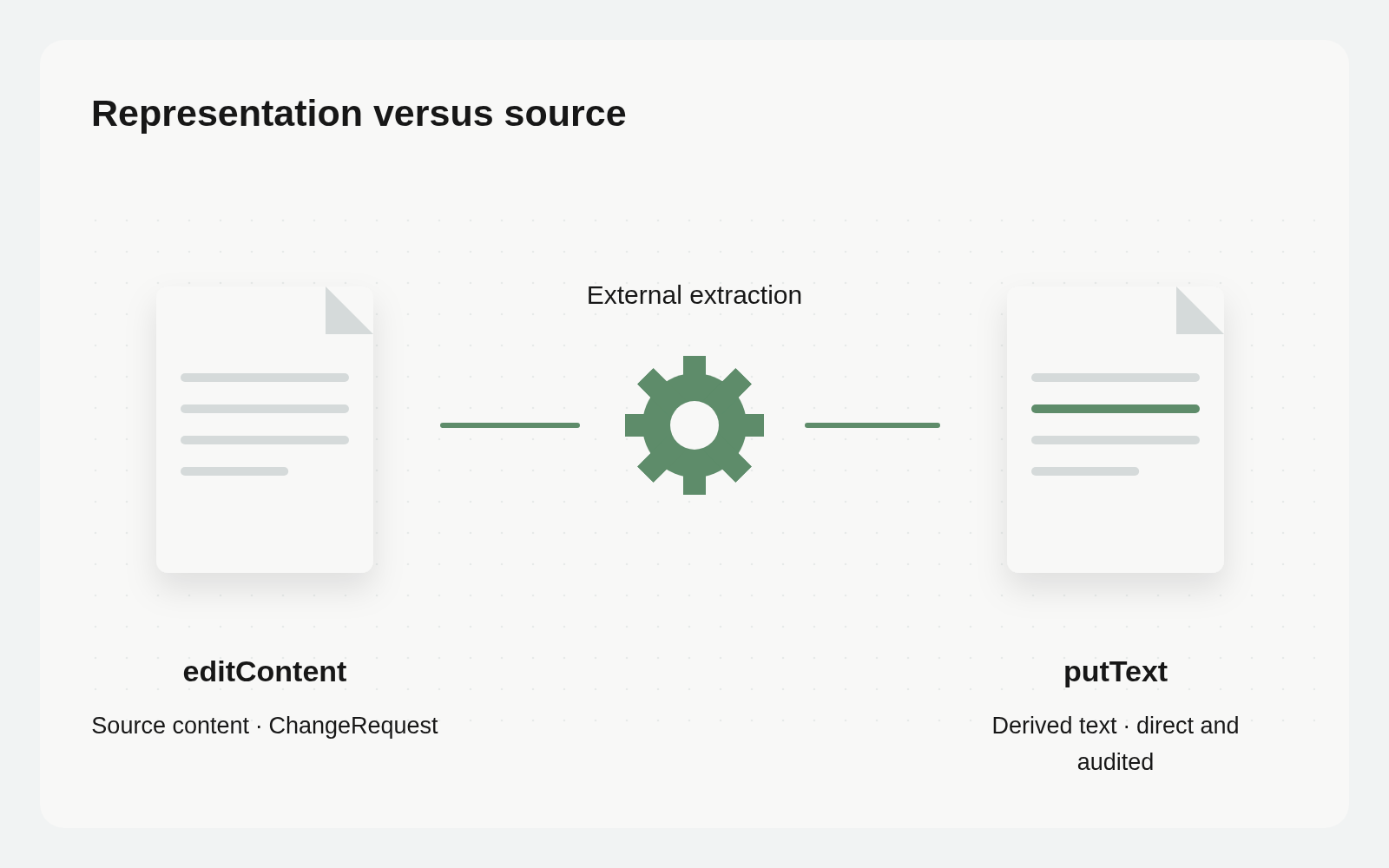
The Asset detail supports supplying, replacing and previewing searchable text. In the API, putText supplies UTF-8 text: inline up to 1MB, or uploaded and bound for larger content. Supplying it again replaces the previous representation. When the source changes, derive new text from that source rather than continuing to cite the old extraction.
PutText directly changes the derived search representation with an audit log; it does not edit the PDF or original file. EditContent changes the canonical content of a mounted Drive or Skill text file through a ChangeRequest, merged immediately with write access or held for review otherwise. Do not use putText as a source-file editor.
Confirm tool and data permissions before external extraction. Retain a traceable association between source version and extraction so a later reader can identify which document the text represents.
Make one repeatable inspection loop
Reuse a maintenance Base if useful. Suggested fields are source Asset, owner, text status, source-change evidence, extraction method, check time, coverage gaps and next action. This is a tracking design, not automatic extraction or a recall improvement feature. Keep the document in its file and use the records to manage unfinished work.
Check the relevant files’ text status in this knowledge collection. List missing, stale and none items before exact search. Report coverage, truncation and matching locations, then read the relevant lines. Distinguish no matches from incomplete coverage. Read only: do not upload files, call extraction services or change searchable text.
After confirmation, an authorized Agent can extract and supply missing or outdated text, then rerun the same question within the same scope. Accept the result by checking status, coverage and current supporting passages. Do not invent a recall percentage without a measurement.
Choose the right repair after zero matches
missing needs searchable text; stale needs source/extraction version reconciliation; truncated indicates incomplete coverage. Repeating the query does not repair all three. none records an explicit lack of extractable text; check its basis against the current file instead of repeating OCR indefinitely.
Matches also need context. A line can omit a condition or table relationship. Read the relevant passage before concluding. If the source must change, use the appropriate source-content operation rather than editing derived text with putText to manufacture the desired answer.
Update search evidence when the source changes
Assign responsibility for noticing source changes, supplying new text and checking the searchable state. Complete the loop on one genuinely unmatched file before expanding across the collection.
The useful answer to a failed search is a specific missing representation and a verified source passage, not another instruction to keep trying.